Exporter Options
Output Options
The Output section controls container format, resource layout, texture conversion, and metadata written into the final file.
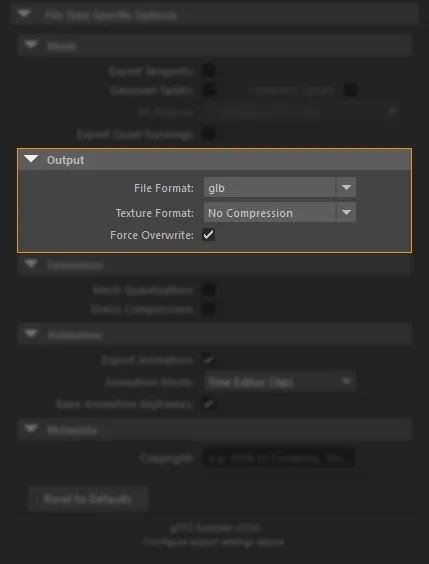
-
glb
Single binary file. Best for handoff and runtime packaging.
-
glTF
Separate JSON workflow. Use when resource layout matters.
-
Resources
Default Copy source files for glTF. Also: Single .bin · Embedded.
-
No Compression
Keep current texture files. Fastest and safest export.
-
WebP
Smaller textures. Emits
EXT_texture_webp. -
JPEG
Simple lossy conversion. Quality slider controls output.
-
KTX2
GPU-friendly compression. Emits
KHR_texture_basisu.
File Format
- glb: Single binary file
- glTF: JSON file with external or embedded resources
Resources
Applies only to .gltf exports. Default: Copy source files (also applied when you switch File Format to glTF).
- Single .bin: Write buffers and images into a binary sidecar workflow
- Copy source files: Copy or convert resources next to the
.gltf - Embedded: Embed resources directly in the JSON as base64 data
Texture Format
- No Compression: Keep the current texture files
- WebP Format: Convert textures to WebP and emit
EXT_texture_webp - JPEG Format: Convert textures to JPEG
- KTX2 Format: Convert textures to KTX2 and emit
KHR_texture_basisu
Quality
- Used for WebP and JPEG conversion
- Range:
0to100 - Default:
90
Force Overwrite
- Enabled by default
- Regenerates converted texture files even when an existing converted file is present
Metadata
- Copyright writes to
asset.copyright