Unlit
glTF extension: KHR_materials_unlit
| Property | Details |
|---|---|
| Shader attribute | gltfUnlit (Extra Attributes) |
| Attribute type | Boolean |
| Auto-created | Yes - added to every material on first export |
| Default | Off (disabled) |
An unlit material bypasses all PBR lighting calculations. The surface is rendered from base color, base color texture, alpha, and vertex color without scene lighting, making it ideal for pre-baked lighting, stylised content, or UI elements.
Enabling unlit mode
gltfUnlit is a plugin-managed custom attribute supported on standardSurface, aiStandardSurface, and openPBRSurface. It is created automatically on the material node during the first export and appears in the Extra Attributes section of the Attribute Editor.
Enable it by toggling glTF Unlit to On in the Extra Attributes section.
Note
StingrayPBS does not support gltfUnlit and cannot be exported as an unlit material.
What is exported when unlit is enabled
When gltfUnlit is on, the exporter writes KHR_materials_unlit into the material's extensions block. Only the following properties are included in the exported material - all lighting-dependent properties are omitted:
| Exported | Omitted |
|---|---|
| Base color factor | Metallic factor |
| Base color texture | Roughness factor |
| Alpha mode / alpha cutoff | Normal map |
| Double-sided flag | Occlusion map |
| Emissive factor / texture | |
| All other PBR extensions |
The base color and any texture connected to it are still exported normally. Alpha coverage and doubleSided still apply to unlit materials. See Base Color for connection details.
Common unlit setups
These examples show the usual unlit authoring patterns: a solid base color with no texture, or a base color texture with unlit enabled.
Factor only
Set the base color directly on the shader, then enable gltfUnlit.
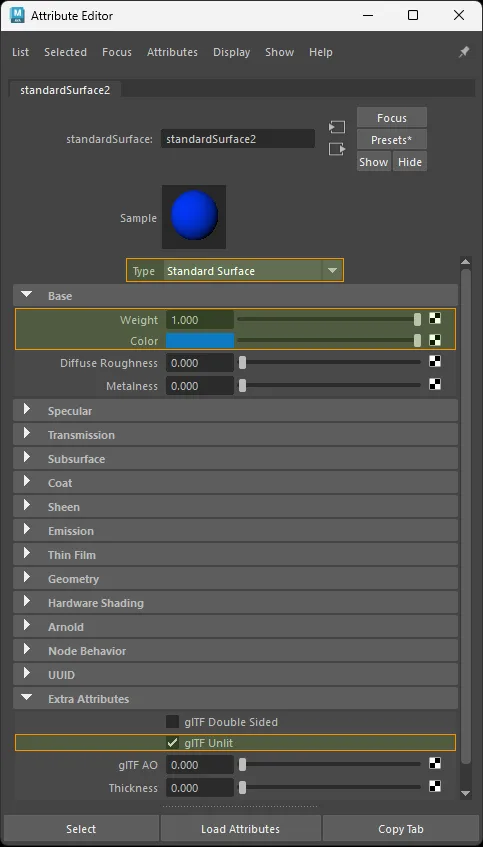
standardSurface factor-only unlit setup.
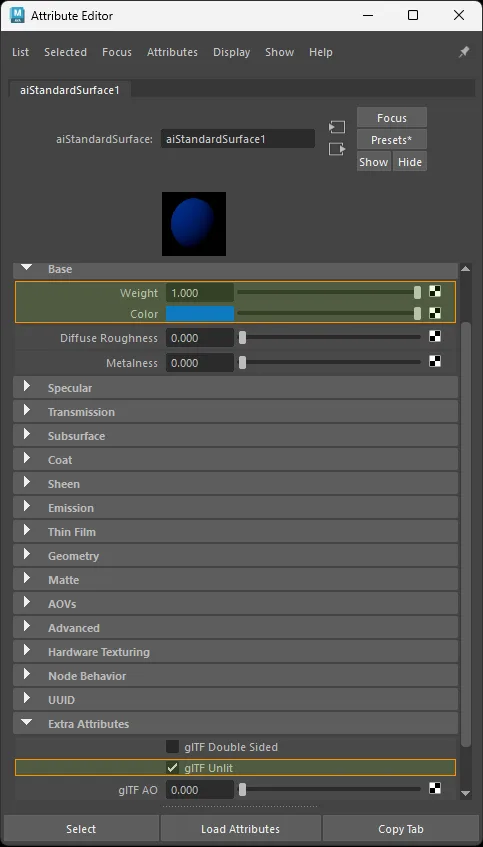
aiStandardSurface factor-only unlit setup.
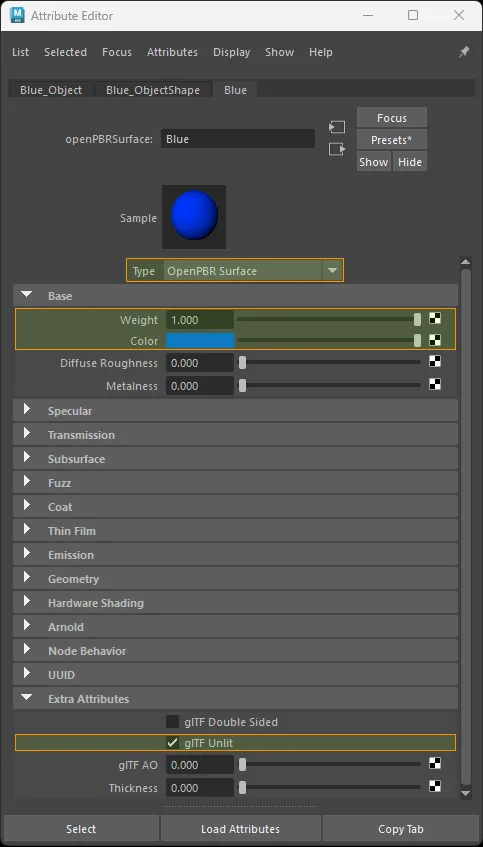
openPBRSurface factor-only unlit setup.
Texture only
Connect the base color texture as usual, then enable gltfUnlit. The texture still exports as baseColorTexture.
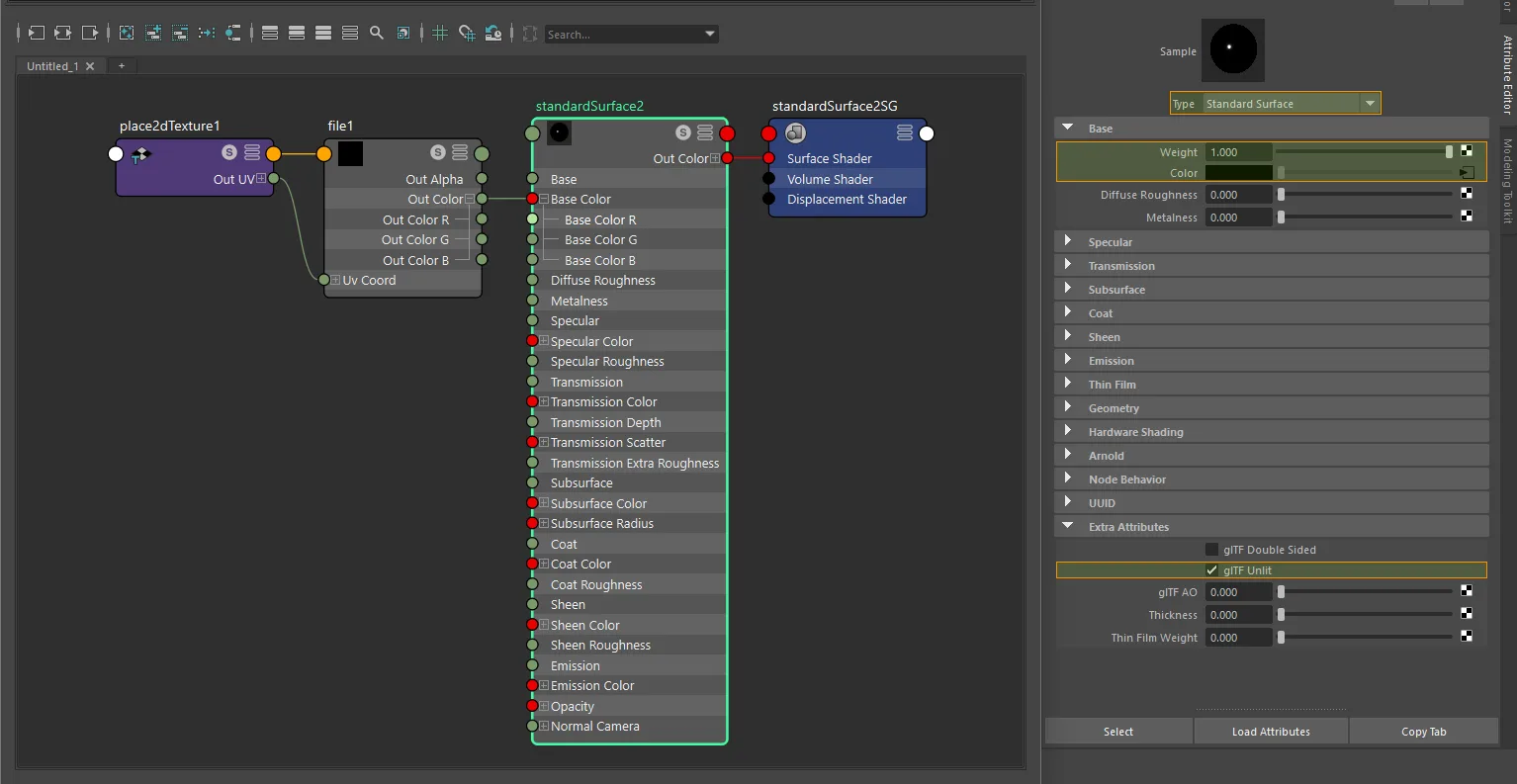
standardSurface texture-only unlit setup.
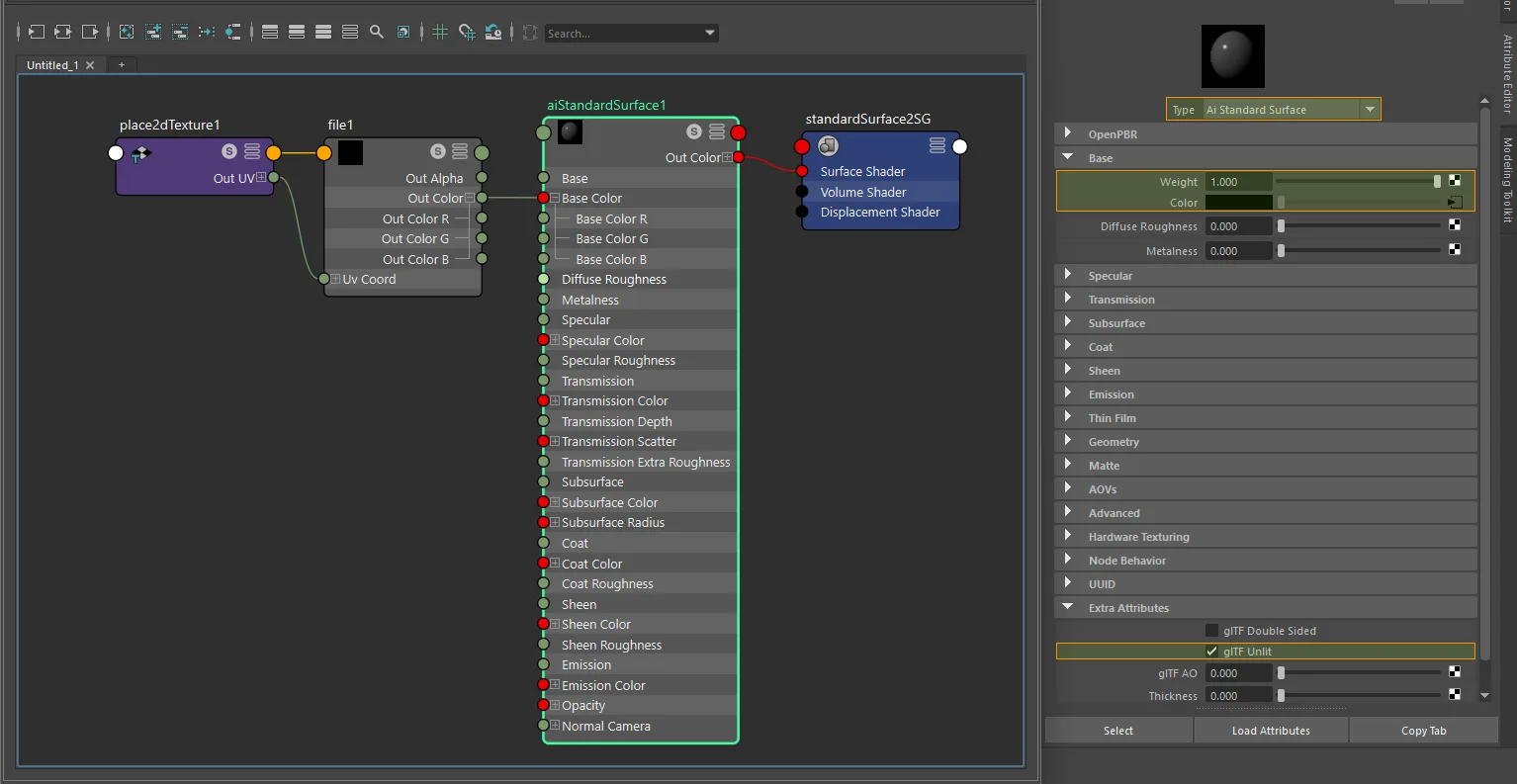
aiStandardSurface texture-only unlit setup.
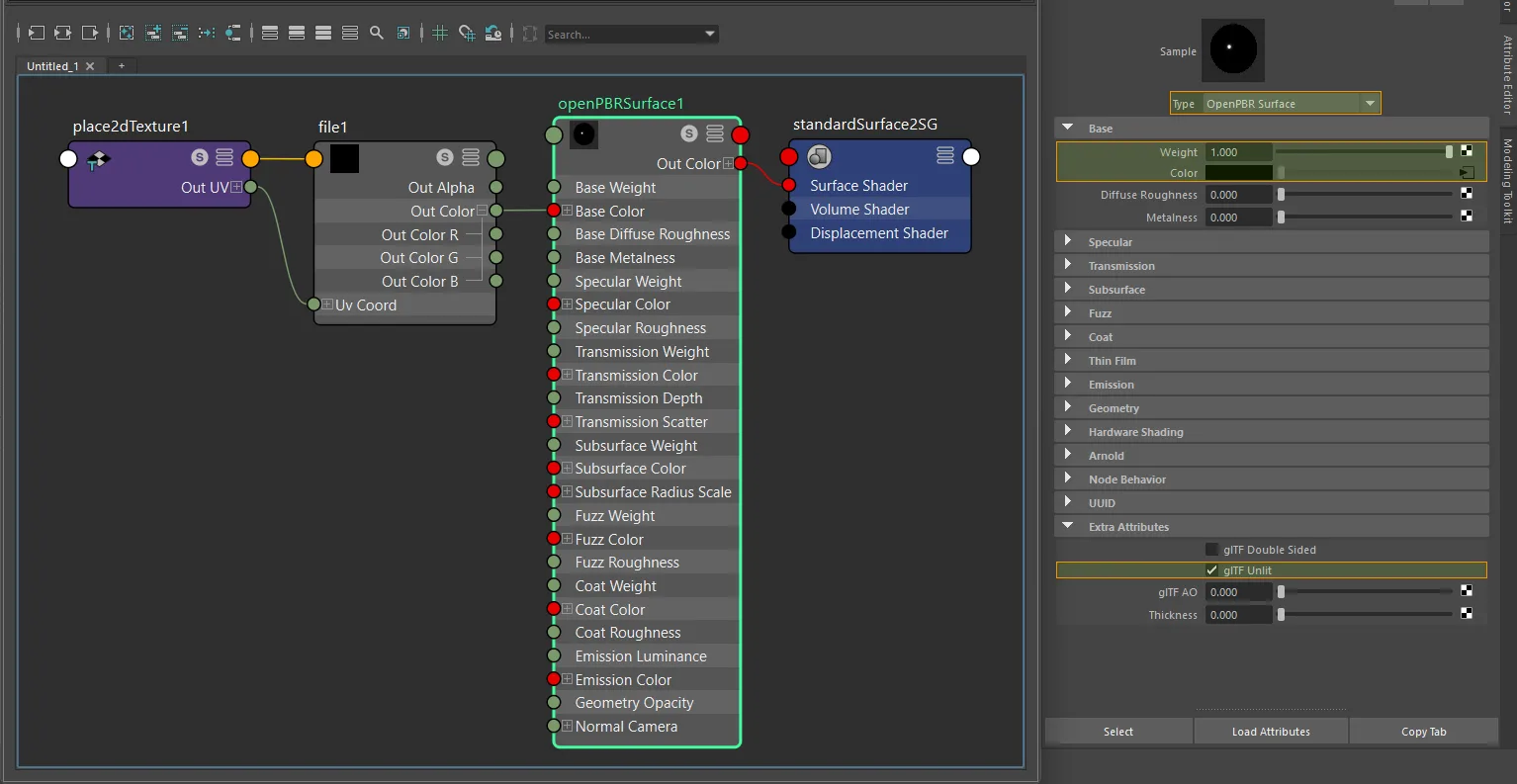
openPBRSurface texture-only unlit setup.
Warning
glTF runtimes that support KHR_materials_unlit will ignore all lighting data. Properties such as metallic, roughness, and normals are still read from the Maya shader during export but are not written to the file when unlit is active.
Note
KHR_materials_unlit is only a shading-model flag. For best fallback behavior in viewers that do not support the extension, keep the material's PBR fallback close to a non-metal surface, but only base color, alpha handling, and doubleSided are authoritative once the extension is active.