Double-Sided
glTF property: material.doubleSided
| Property | Details |
|---|---|
| Shader attribute | gltfDoubleSided (Extra Attributes) |
| Attribute type | Boolean |
| Auto-created | Yes - added to every material on first export |
| Default | Off (disabled) |
The doubleSided flag in glTF controls whether backfaces of a surface are rendered. When disabled (the default), backfaces are culled and only the front face is visible. When enabled, both sides are rendered regardless of normal orientation.
Enabling double-sided mode
gltfDoubleSided is a plugin-managed custom attribute that is created automatically on the material node during the first export. It appears in the Extra Attributes section of the Attribute Editor and applies to the material as a whole - it is not tied to any individual texture or shader input.
Toggle glTF Double Sided to On in the Extra Attributes section to mark the material as double-sided in the exported file.
Note
This is a material-level toggle. Enabling it affects every mesh that uses the material, regardless of how many meshes share it.
Common double-sided setups
These examples show where the plugin-managed gltfDoubleSided toggle appears in the material's Extra Attributes section for the supported shader families.
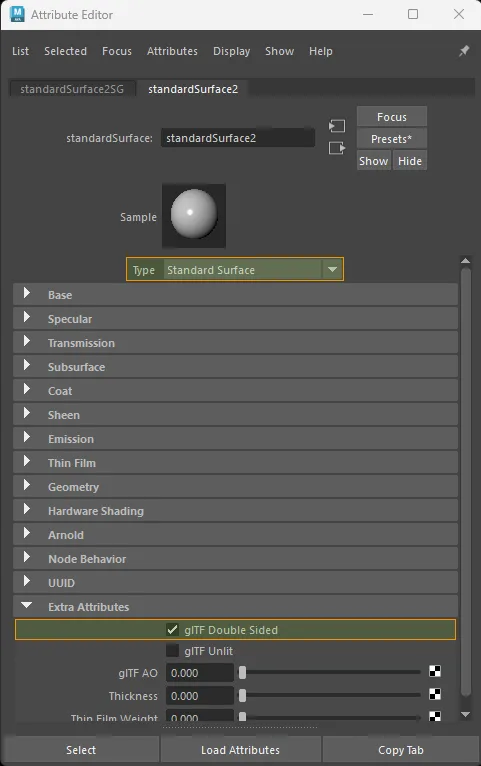
standardSurface with gltfDoubleSided enabled in Extra Attributes.
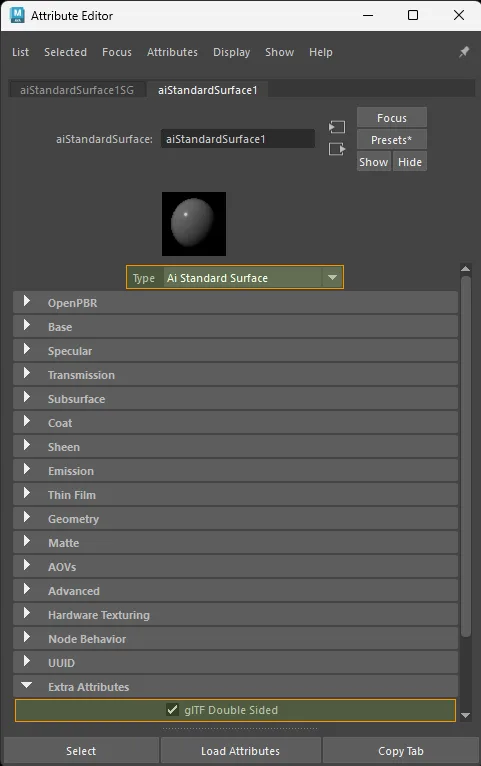
aiStandardSurface with gltfDoubleSided enabled in Extra Attributes.
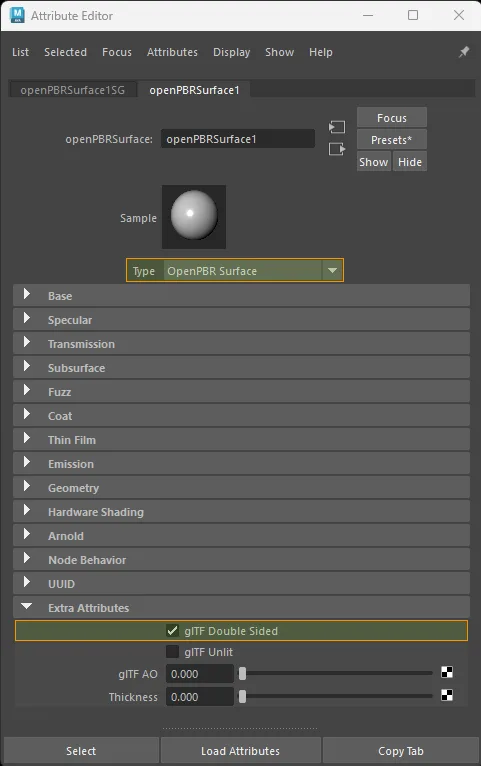
openPBRSurface with gltfDoubleSided enabled in Extra Attributes.
Automatic detection fallback
When gltfDoubleSided is left at its default value (Off), the exporter falls back to inspecting Maya's own backface culling setting on each mesh shape that uses the material:
| Maya backface culling | Exported doubleSided |
|---|---|
| Off (both sides visible) | true |
| On (backfaces culled) | false |
Using the gltfDoubleSided attribute overrides this automatic detection. This gives you explicit, predictable control when the per-shape Maya setting does not match your export intent - for example, when a material is shared across shapes with conflicting culling settings.
When to enable
| Scenario | Recommended setting |
|---|---|
| Flat planes (leaves, cards, cloth) that must be visible from both sides | On |
| Closed meshes where backfaces are never seen | Off (default) |
| Shared material with mixed per-shape culling that should always export as double-sided | On |
| Shared material with mixed per-shape culling that should always export as single-sided | Off |
What is exported
When gltfDoubleSided is On, the exporter writes "doubleSided": true into the material object in the glTF JSON. When it is Off, doubleSided is omitted (glTF default is false).
Warning
Enabling doubleSided can increase rendering cost in real-time runtimes because the GPU must shade both faces. Only enable it where visually required.