Exporter Options
Mesh Options
The Mesh section controls geometry-specific export behavior, including tangents, gaussian splats, and round-trip metadata.
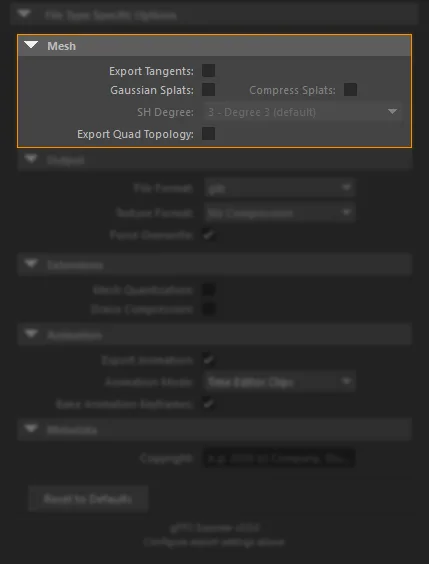
Export Tangents
- Disabled by default
- Writes the
TANGENTattribute to the output file - Enable this when your target runtime depends on authored tangent-space data
- Leave disabled when the target runtime can generate tangents and you want smaller files
Gaussian Splats
- Disabled by default
- Exports
GaussianSplatLocatornodes asKHR_gaussian_splattingpoint primitives - Requires the companion Gaussian Splat Importer and Exporter for Maya plug-in (
GaussianSplatPlugin) and its export bridge to already be available in Maya - That companion plug-in is Windows only (macOS and Linux are not supported)
- Get the companion plug-in from PolyPulse3D
- If the bridge is unavailable, splat shapes are skipped with a warning
Compress Splats
- Disabled by default; only available when Gaussian Splats is on
- Quantizes allowed splat attributes (rotation, opacity,
COLOR_0) for smaller files - Slight precision loss vs full float attributes - leave off when you need maximum fidelity
- See Gaussian Splats for the full option description
SH Degree
- Default 3; only available when Gaussian Splats is on
- Caps spherical-harmonic lighting bands written to the file (
0= base color only) - Automatically falls back when the source has a lower degree than requested
- Separate from the Attribute Editor SH Degree slider on the companion plug-in (viewport / Arnold only)
- See Gaussian Splats for the behavior table
Export Quad Topology
- Disabled by default
- Stores Maya-oriented quad or n-gon topology metadata for later re-import into Maya
- Intended for round-trip workflows
- Increases file size and should usually stay off for web/runtime delivery builds