Exporter Options
Extensions and Compression
Review the exporter controls that emit optional glTF extensions or compression workflows.
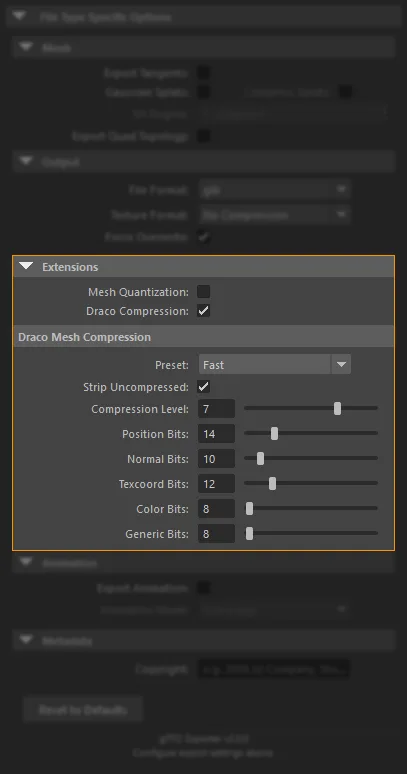
Mesh Quantization
- Disabled by default
- Enables
KHR_mesh_quantization - Useful for reducing vertex storage size
- Should be tested against your runtime and asset-quality requirements
Draco Compression
- Disabled by default
- Enables
KHR_draco_mesh_compression - Can reduce mesh size significantly
- The exporter exposes presets and manual quantization controls
Draco Presets
- Fast: Highest precision, lighter compression
- Balanced: Default preset
- High: Stronger compression
- Maximum: Smallest files, most aggressive settings
- Custom: Manual control of every slider
Advanced Draco Controls
- Strip Uncompressed
- Compression Level
- Position Bits
- Normal Bits
- Texcoord Bits
- Color Bits
- Generic Bits
KTX2 Compression
KTX2 settings appear when Texture Format is set to KTX2 Format.
KTX2 Controls
- Quality: Low, Medium, High, Maximum
- Format: ETC1S, UASTC, ASTC 4x4, None
- Supercompression: Zstandard toggle
- Generate Mipmaps: Auto-generate mip levels
Texture Transform Export
When supported texture nodes contain UV transforms, the exporter writes KHR_texture_transform and registers it as required so the output file explicitly records the transform dependency.