Volume
glTF extension: KHR_materials_volume
glTF properties: thicknessFactor · thicknessTexture · attenuationDistance · attenuationColor
Volume describes how light is absorbed and colored as it travels through the interior of a solid object. It works together with a transmission-capable material, typically KHR_materials_transmission in this exporter. Transmission controls how much light enters the surface; volume controls what happens to that light inside. Requires KHR_materials_volume to be enabled in the export options.
| Shader | Thickness attribute | Attenuation distance | Attenuation color | Notes |
|---|---|---|---|---|
standardSurface, aiStandardSurface |
thickness |
transmissionDepth |
transmissionColor |
|
openPBRSurface |
thickness |
transmissionDepth |
transmissionColor |
|
StingrayPBS |
not supported | not supported | not supported | - |
Thickness
Thickness represents the depth of material a ray travels through. In glTF the thickness value is stored in the green channel of thicknessTexture. A thicknessFactor of 0.0 means the surface is infinitely thin and no volume effect is written.
Volume behavior assumes a closed, manifold mesh. Per the glTF spec, doubleSided does not change a true volume boundary.
Factor only
Set thickness directly on the shader. The exporter only writes a volume extension when the value is greater than 0.0.
Exports as thicknessFactor.
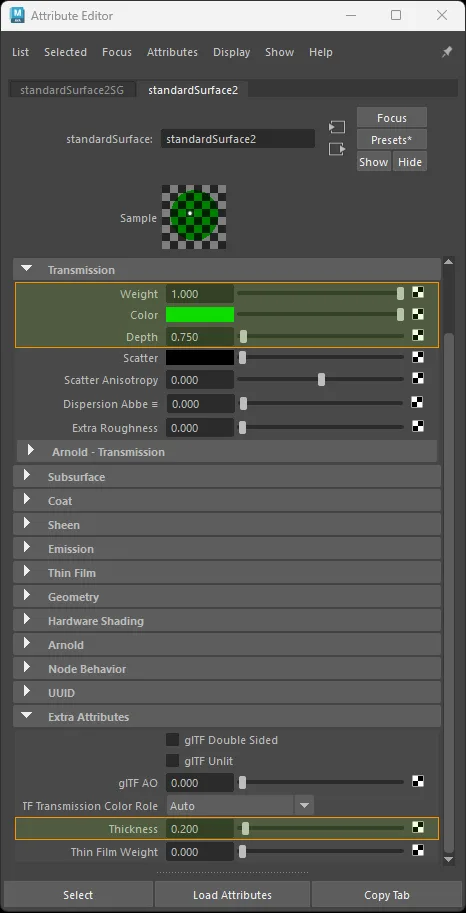
standardSurface factor-only volume setup.
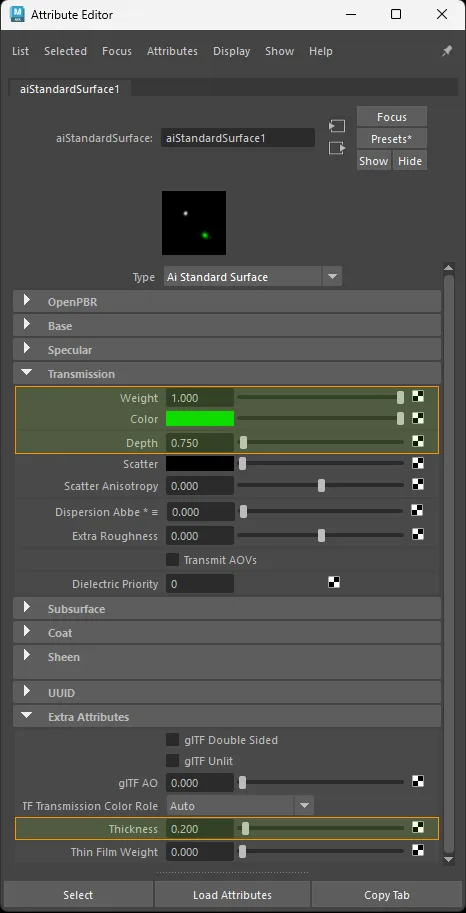
aiStandardSurface factor-only volume setup.
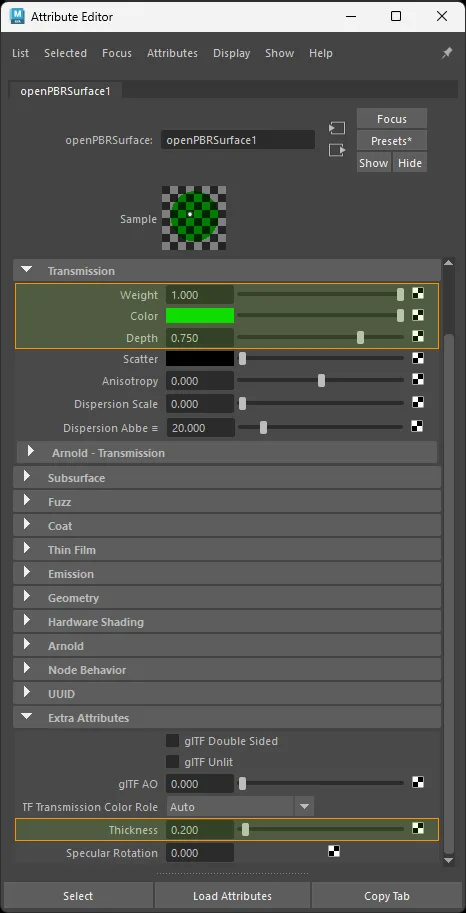
openPBRSurface factor-only volume setup.
Texture only
Color space: Raw
standardSurface · aiStandardSurface · openPBRSurface:
  aiImage.outColorG  ->  shader.thickness
  file.outColorG     ->  shader.thickness
The exporter converts any source channel into the green channel of a dedicated thickness image. The original factor is exported separately as thicknessFactor.
Exports as thicknessTexture (G channel).
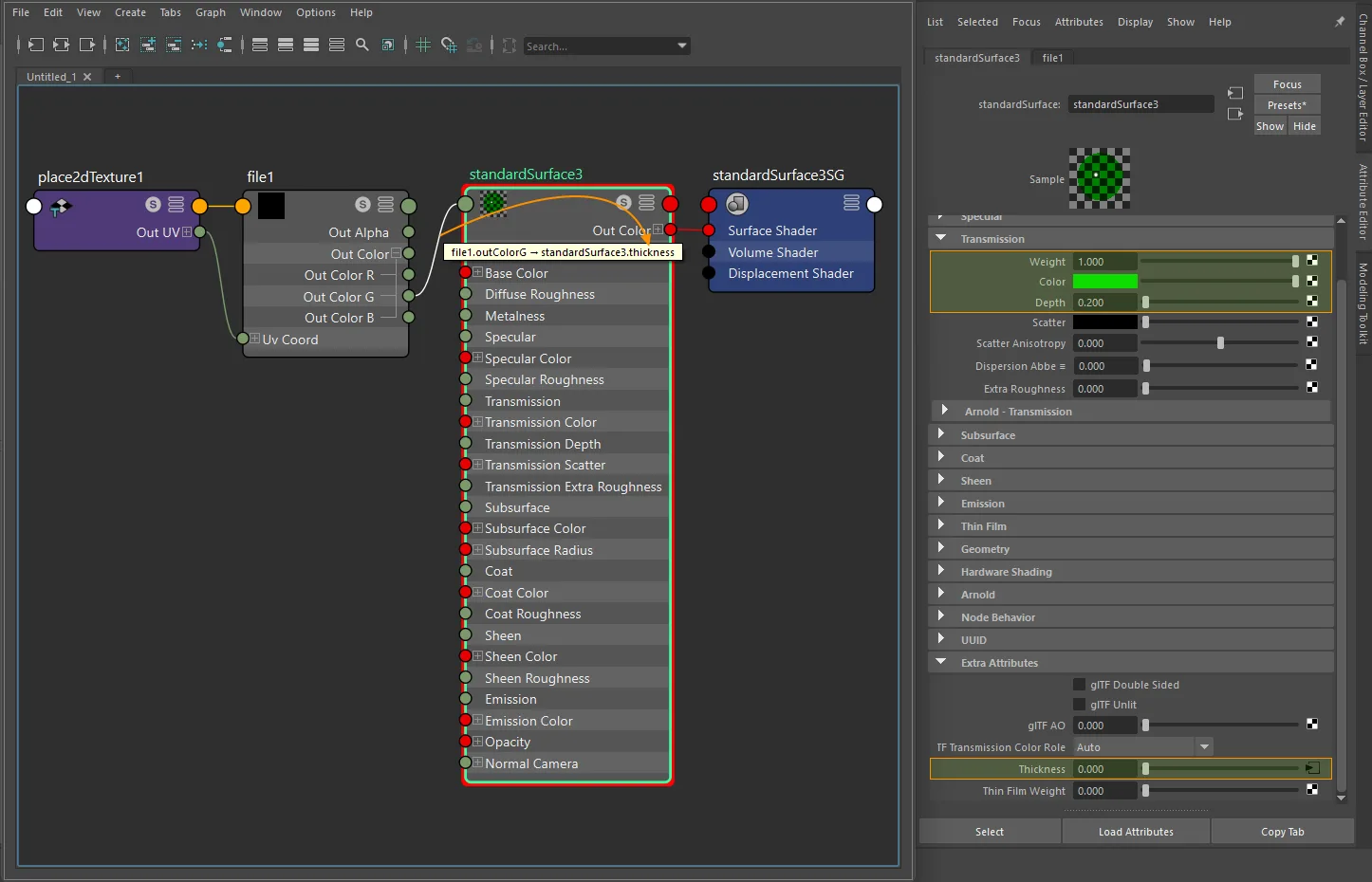
standardSurface texture-only volume setup with file and place2dTexture.
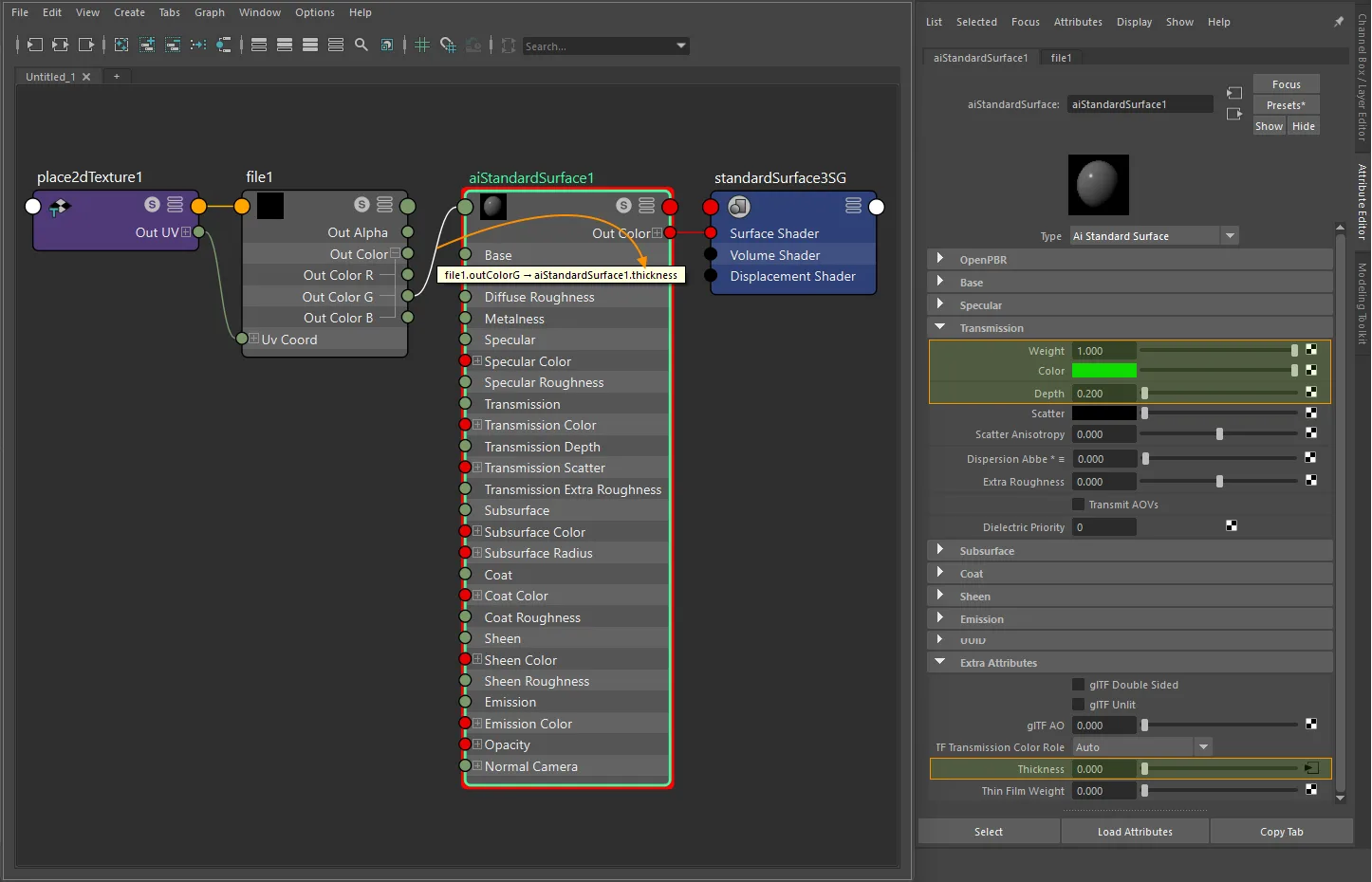
aiStandardSurface texture-only volume setup with file and place2dTexture.
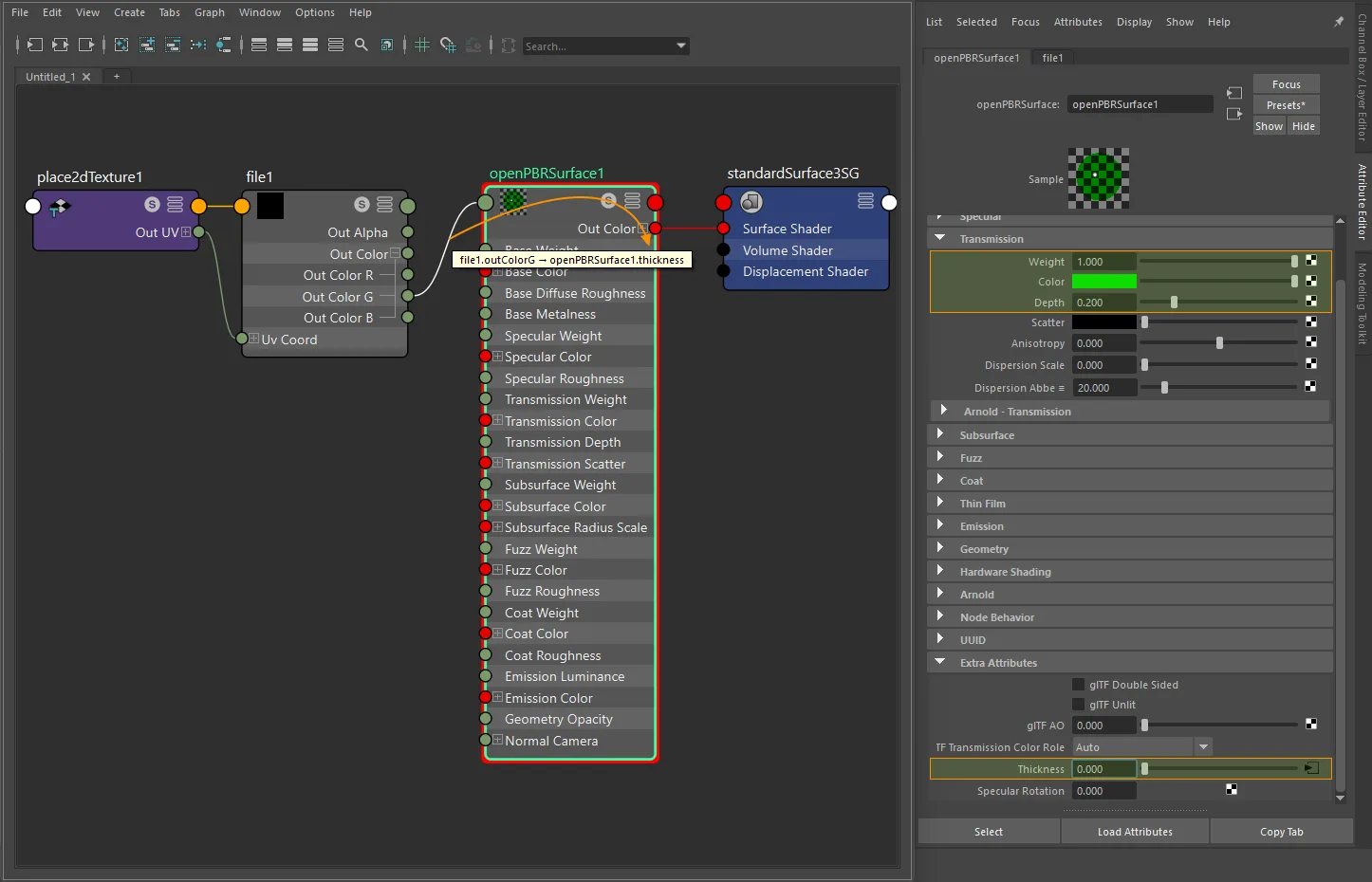
openPBRSurface texture-only volume setup with file and place2dTexture.
Factor + texture
glTF computes: thicknessFactor × thicknessTexture.G
- Connect the thickness texture into a
multiplyDividenode. - Set the thickness multiplier in
multiplyDivide.input2X. - Connect
multiplyDivide.outputX->shader.thickness.
standardSurface · aiStandardSurface · openPBRSurface:
  texture.outColorG  ->  multiplyDivide.input1X  ->  shader.thickness
The multiplier exports as thicknessFactor.
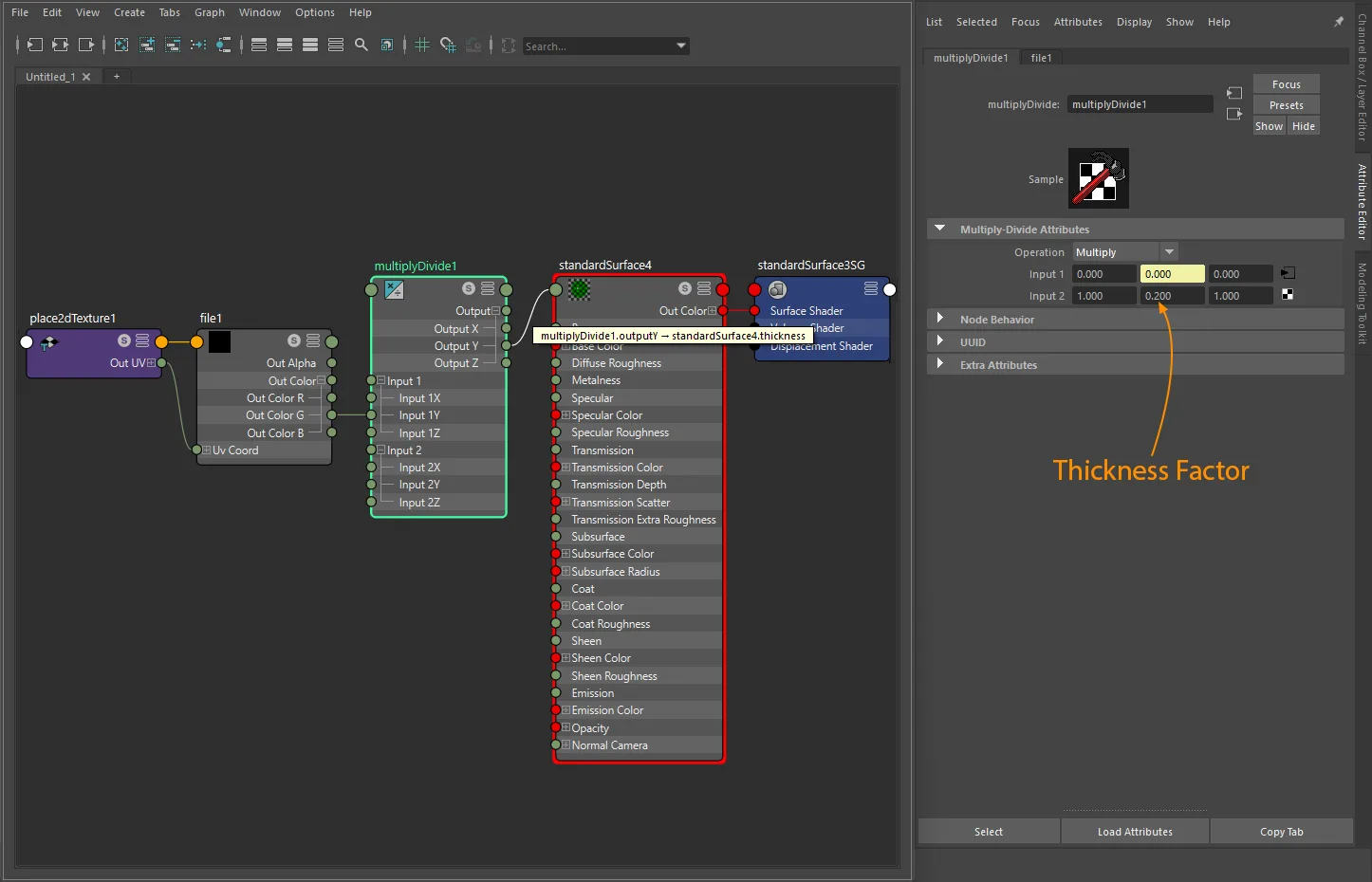
standardSurface factor-plus-texture volume setup with file and place2dTexture.
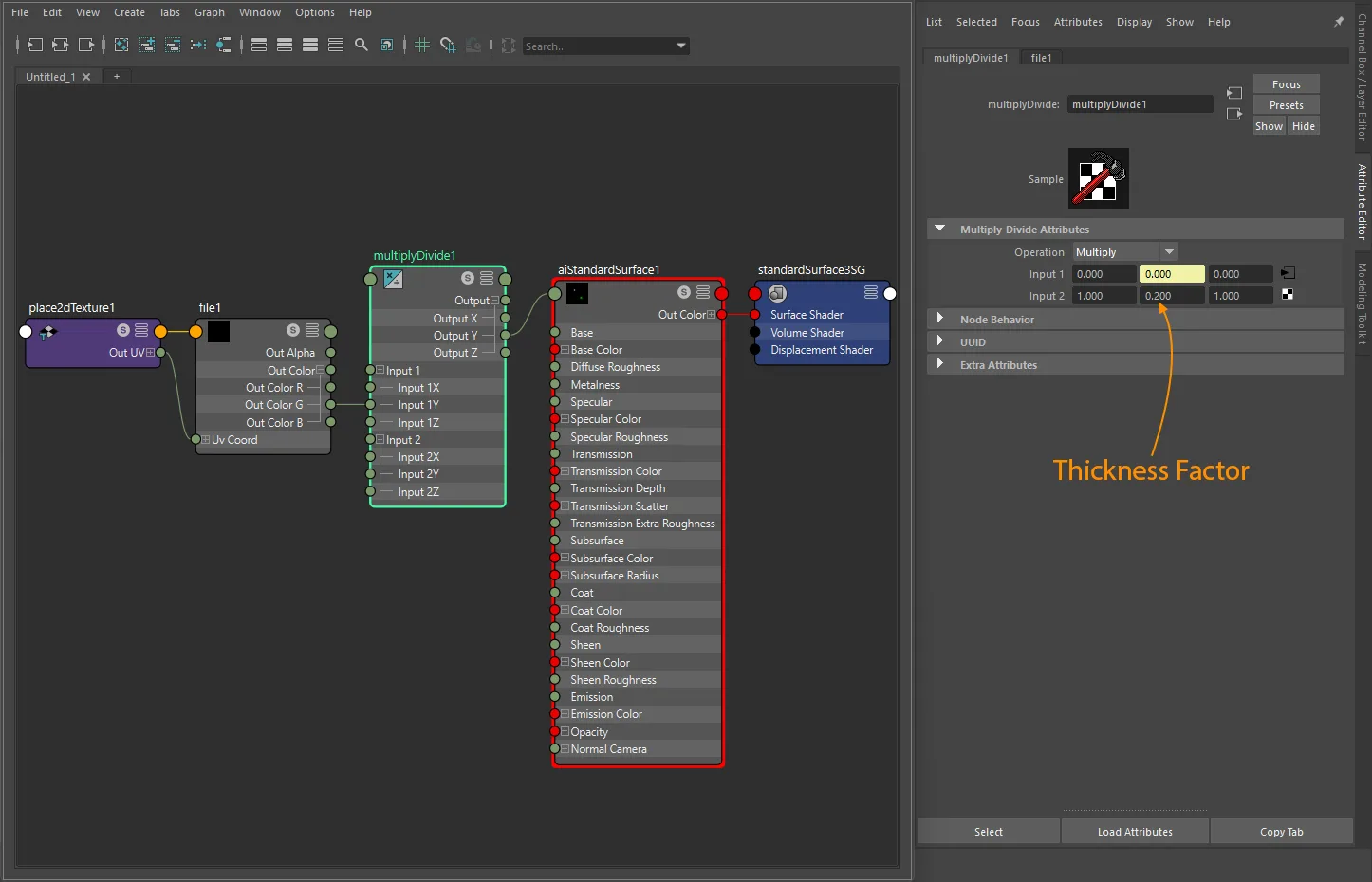
aiStandardSurface factor-plus-texture volume setup with file and place2dTexture.
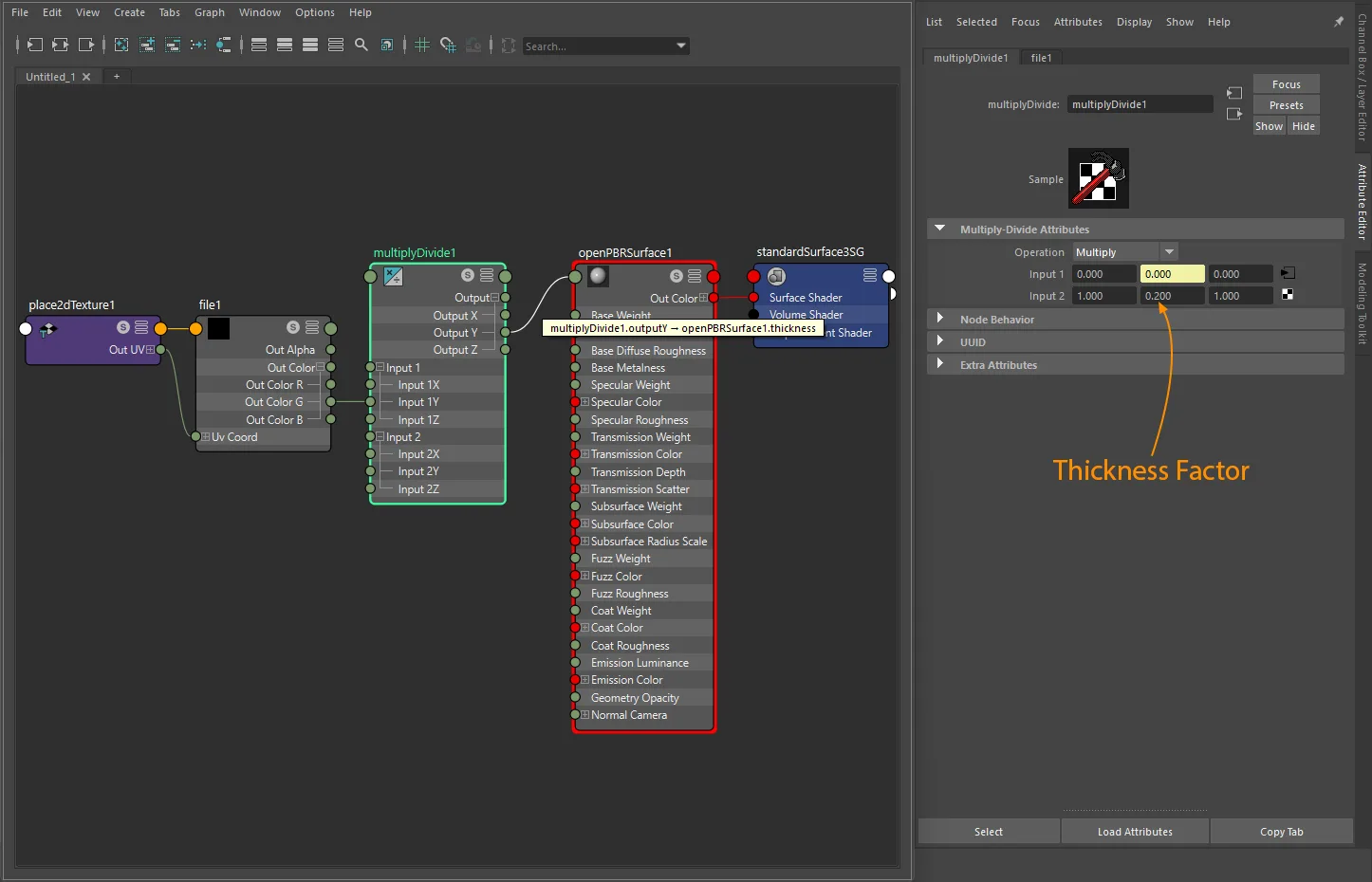
openPBRSurface factor-plus-texture volume setup with file and place2dTexture.
Attenuation distance
Attenuation distance sets how far light travels before it is fully absorbed. Maps from the transmissionDepth attribute. The exporter only writes this value when it is a positive, finite number - 0.0 and inf are both skipped.
standardSurface · aiStandardSurface · openPBRSurface:
  set transmissionDepth  ->  exports as attenuationDistance
Note
Attenuation distance is a scalar-only property. There is no texture path for attenuationDistance in glTF, and the valid range is strictly greater than 0.0.
Attenuation color
Attenuation color tints the light as it is absorbed. Maps from the transmissionColor attribute. The exporter only writes this value when it differs from the default white [1, 1, 1] (white = no absorption).
standardSurface · aiStandardSurface · openPBRSurface:
  set transmissionColor  ->  exports as attenuationColor
Note
Attenuation color is a scalar-only property. There is no texture path for attenuationColor in glTF.
Shared attribute with diffuse transmission
transmissionColor is also used by the diffuse transmission workflow. When a diffuse transmission graph is active on the same shader, transmissionColor is reserved for KHR_materials_diffuse_transmission and is not exported as attenuation color. To use volume attenuation color, use a classic transmission setup without an active diffuse transmission graph on the same material. For factor-only setups where Auto still picks diffuse transmission, set glTF Transmission Color Role to Attenuation - see gltfTransmissionColorRole.
UV transform (thickness texture)
file nodes: set repeat, wrap, mirror, offset, and rotation on the connected place2dTexture.
aiImage nodes: wrap, scale, and offset export natively; rotation requires a place2dTexture.
UV set: assign via Maya's UV Set Editor or UV Linking - see UV Set Selection for node-type differences.
Notes
- Volume is only meaningful when light can enter the surface. In this exporter, combine it with
KHR_materials_transmissionfor realistic glass or solid translucent objects. - Thickness texture is always written in the green channel by the exporter, regardless of the source channel in Maya.
- A
thicknessof0.0disables volume export entirely. Set it above0.0to activate the extension. attenuationDistanceandattenuationColorare scalar-only properties with no glTF texture slot.- A true volume boundary should be authored on a closed mesh;
doubleSideddoes not make an open mesh volumetric. StingrayPBSdoes not exportKHR_materials_volume.