Emissive
glTF: emissiveFactor · emissiveTexture
The emissive property controls the color and intensity of light emitted by the surface, independent of scene lighting.
| Shader | Color attribute | Intensity attribute | Notes |
|---|---|---|---|
standardSurface, aiStandardSurface |
emissionColor |
emission |
|
openPBRSurface |
emissionColor |
emissionLuminance |
Different intensity attribute name |
StingrayPBS |
emissive |
emissive_intensity |
Uses TEX_emissive_map + use_emissive_map for texture |
Factor only
Set the emissive color and intensity directly on the shader.
standardSurface,aiStandardSurface: setemissionColorandemission.openPBRSurface: setemissionColorandemissionLuminance.StingrayPBS: setemissiveandemissive_intensity.
Exports as emissiveFactor. If intensity exceeds 1.0, KHR_materials_emissive_strength is also written.
Exports as emissiveFactor. If the resolved emissive result exceeds 1.0 in any channel, the exporter normalizes emissiveFactor and also writes KHR_materials_emissive_strength.
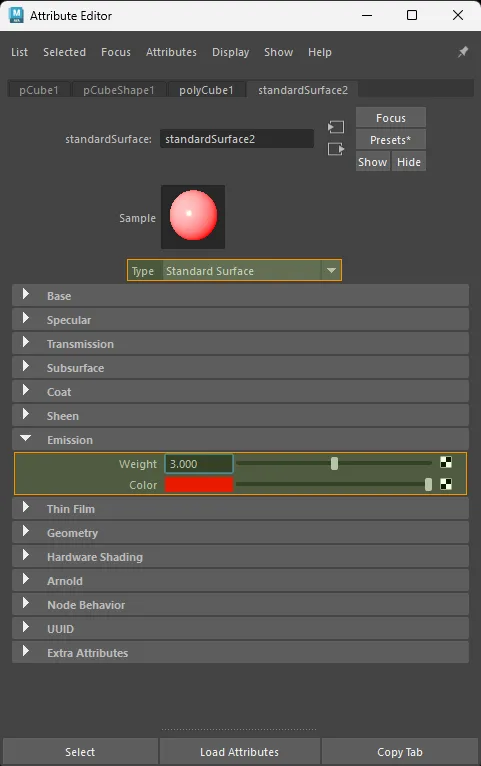
standardSurface factor-only emissive setup.
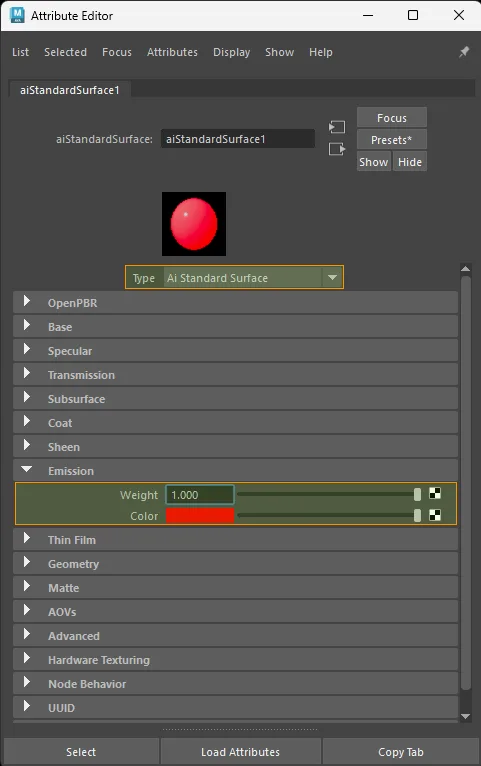
aiStandardSurface factor-only emissive setup.
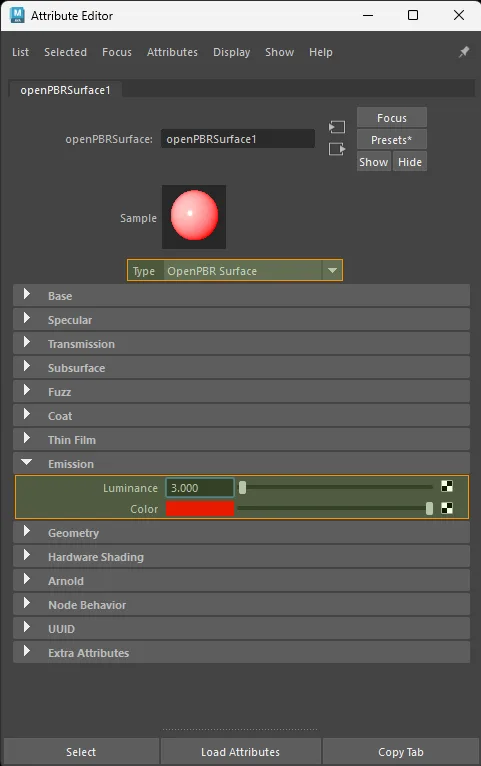
openPBRSurface factor-only emissive setup.
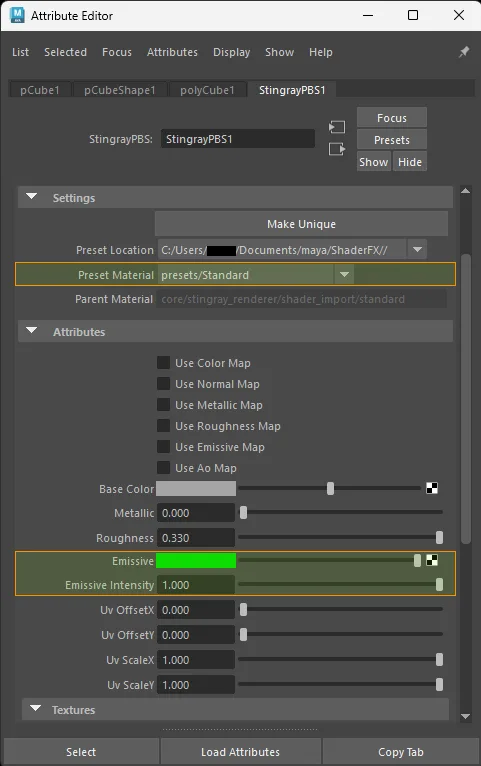
StingrayPBS factor-only emissive setup.
Note
An intensity of 0.0 exports with no visible emission.
Texture only
Color space: sRGB
standardSurface · aiStandardSurface · openPBRSurface:
  aiImage.outColor  ->  shader.emissionColor
  file.outColor     ->  shader.emissionColor

StingrayPBS:
  file.outColor  ->  shader.TEX_emissive_map  (enable use_emissive_map)
Also keep the intensity attribute (emission, emissionLuminance, or emissive_intensity) above 0.0.
Exports as emissiveTexture with a neutral white emissiveFactor unless a tint is also set.
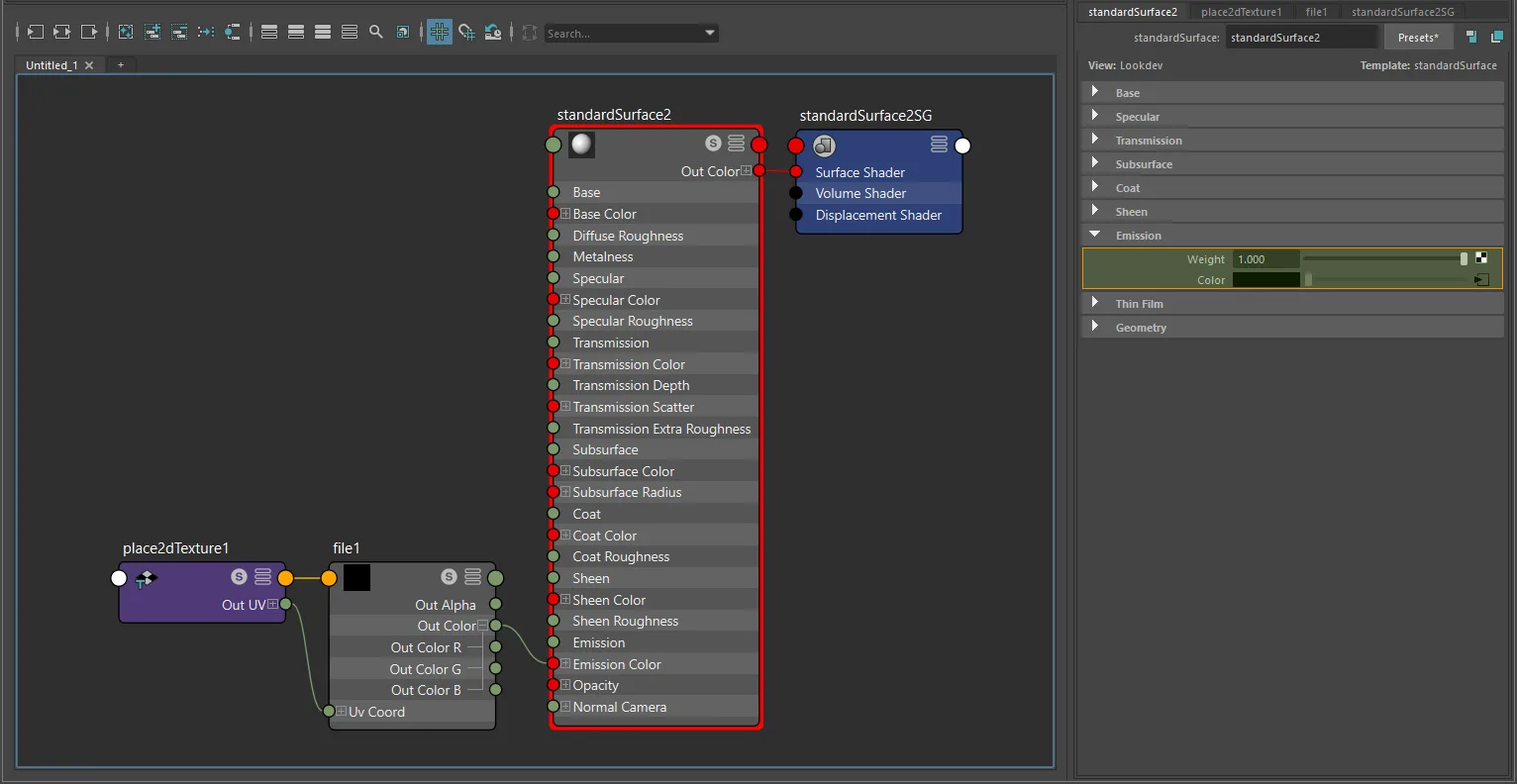
standardSurface texture-only emissive setup.
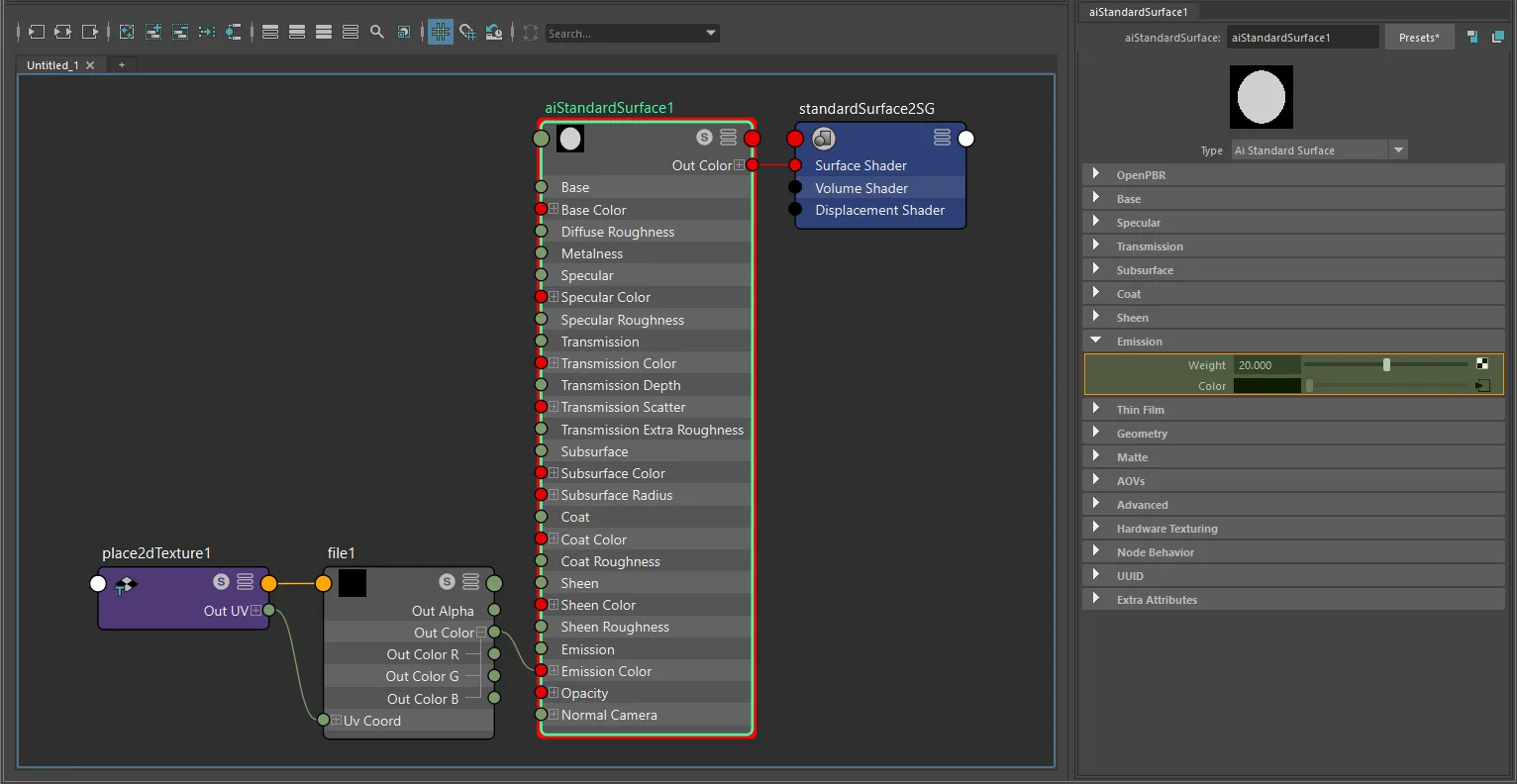
aiStandardSurface texture-only emissive setup.
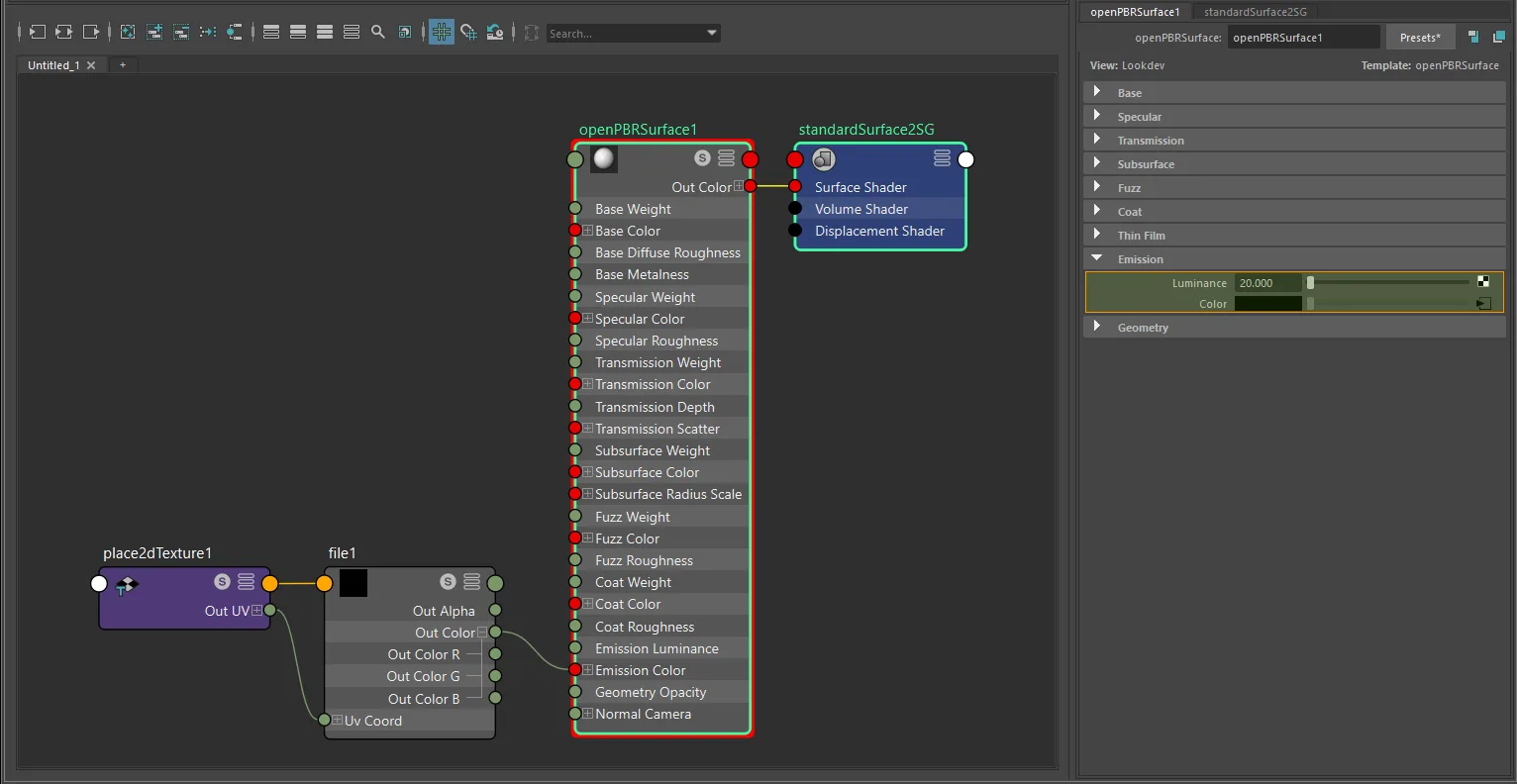
openPBRSurface texture-only emissive setup.
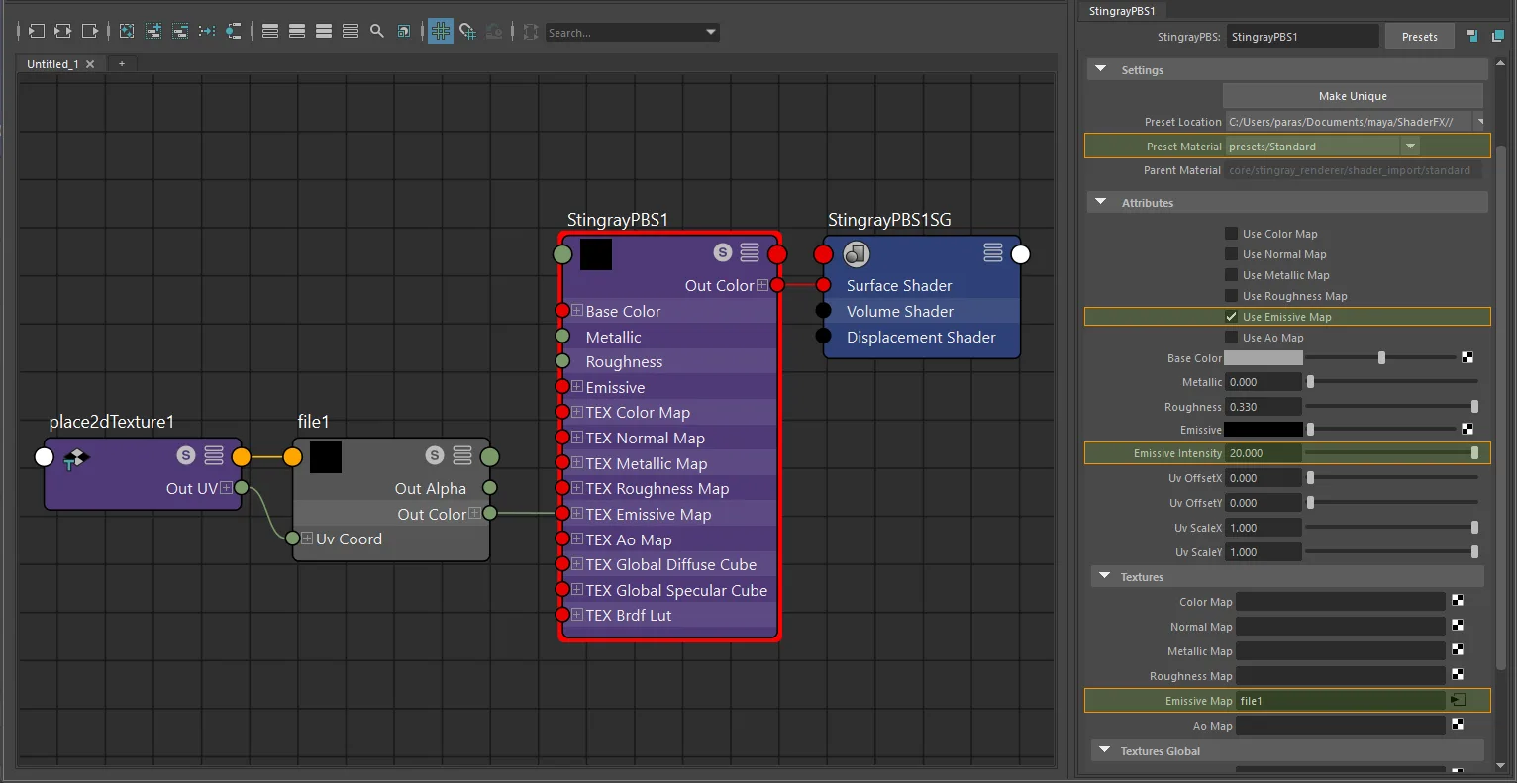
StingrayPBS texture-only emissive setup.
Factor + texture (tint)
glTF computes: emissiveFactor × emissiveTexture
When KHR_materials_emissive_strength is present, the final emissive result is additionally scaled by emissiveStrength.
For standardSurface, aiStandardSurface, openPBRSurface:
- Connect
texture.outColor->colorComposite.colorA. - Set the tint on
colorComposite.colorB. - Set
colorCompositeto multiply mode. - Connect
colorComposite.outColor->shader.emissionColor. - Set the intensity attribute above
0.0.
The colorComposite node carries the exported emissiveFactor tint. The shader intensity attribute (emission, emissionLuminance, or emissive_intensity) carries emissive strength, not the tint factor.
standardSurface · aiStandardSurface · openPBRSurface:
  texture.outColor  ->  colorComposite.colorA  ->  shader.emissionColor
For StingrayPBS: connect the texture to TEX_emissive_map (enable use_emissive_map), set the tint on emissive, and set intensity with emissive_intensity.
The tint exports as emissiveFactor. If tint multiplied by intensity resolves above 1.0 in any channel, the exporter writes a normalized emissiveFactor plus KHR_materials_emissive_strength.
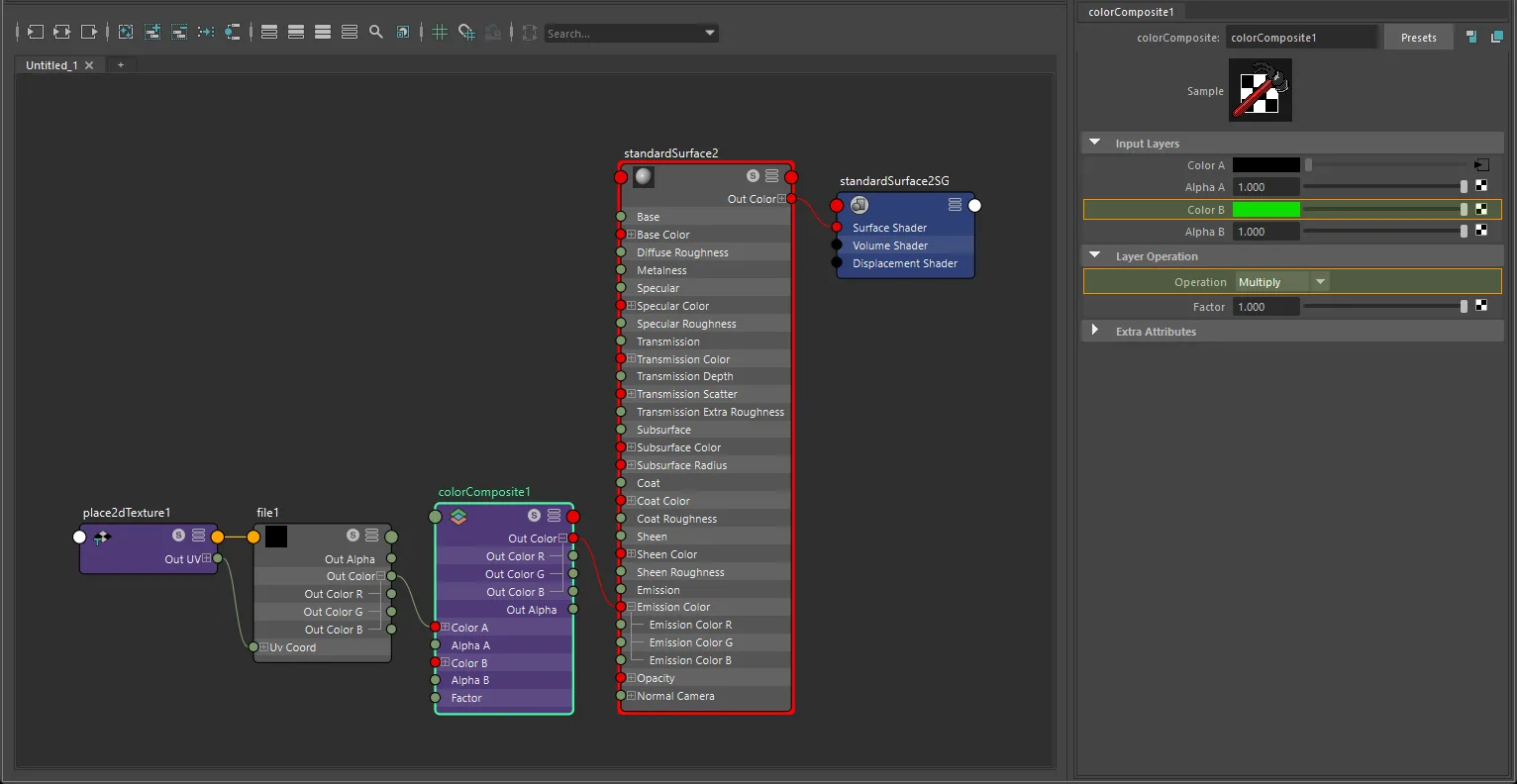
standardSurface factor-plus-texture emissive setup.
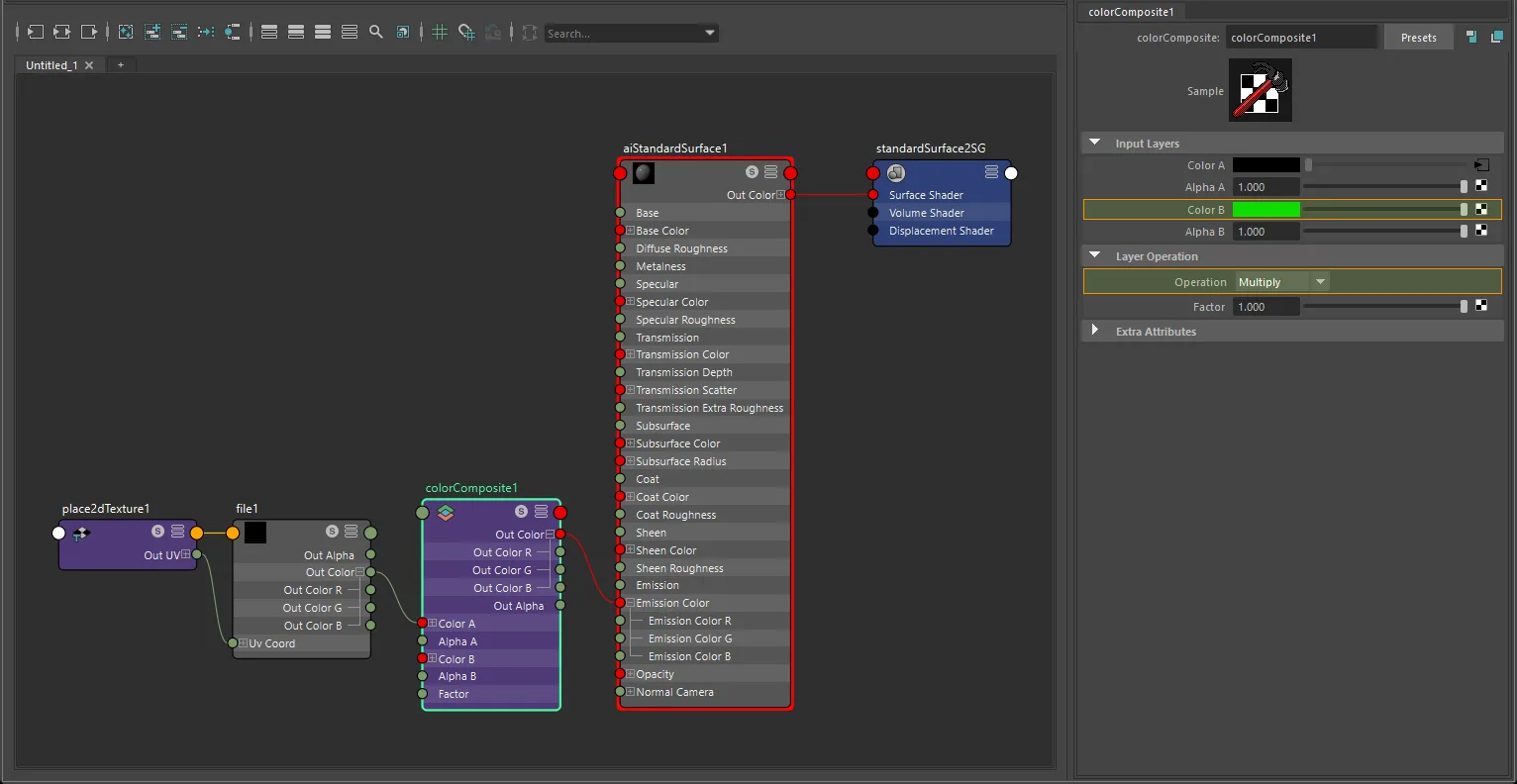
aiStandardSurface factor-plus-texture emissive setup.
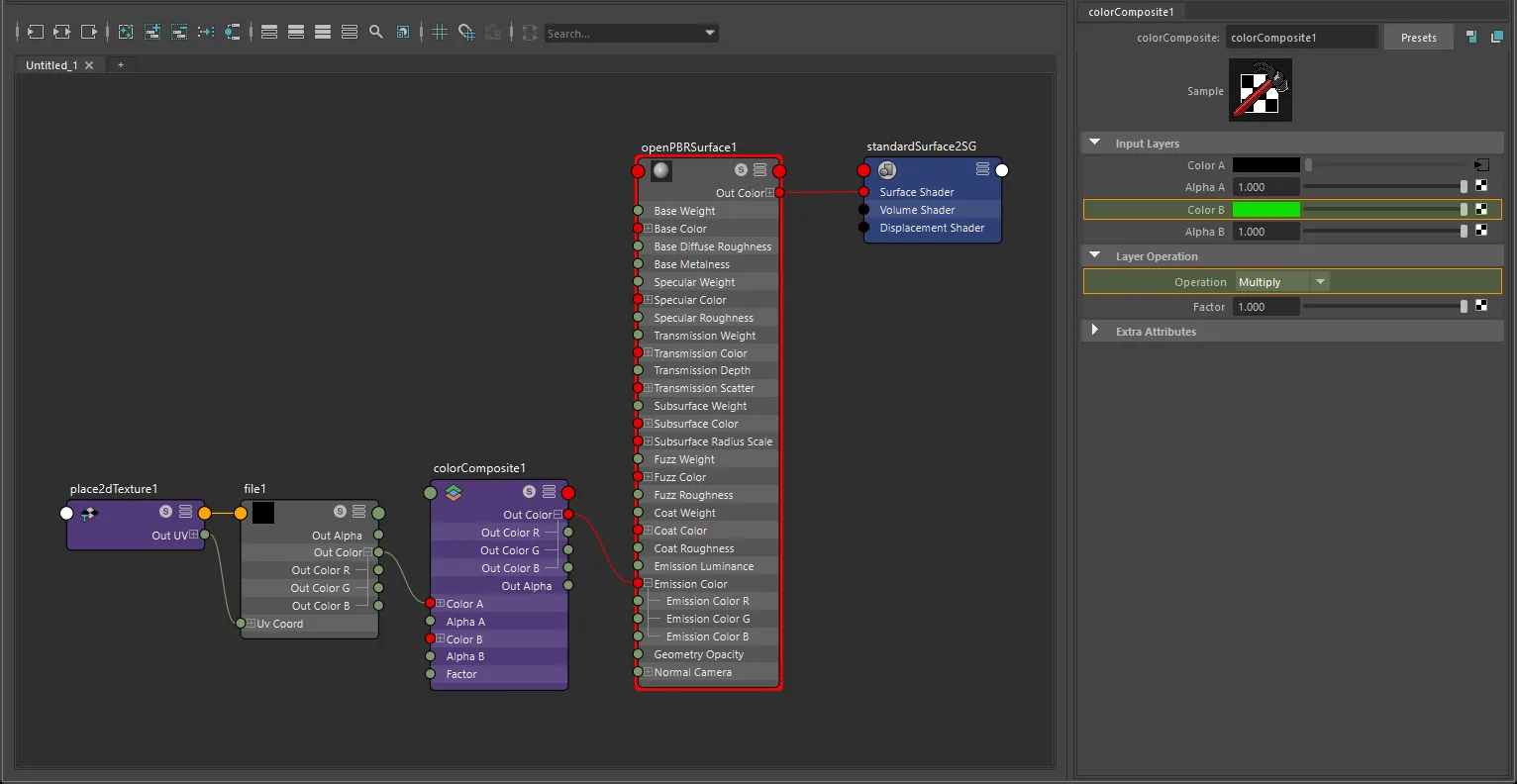
openPBRSurface factor-plus-texture emissive setup.
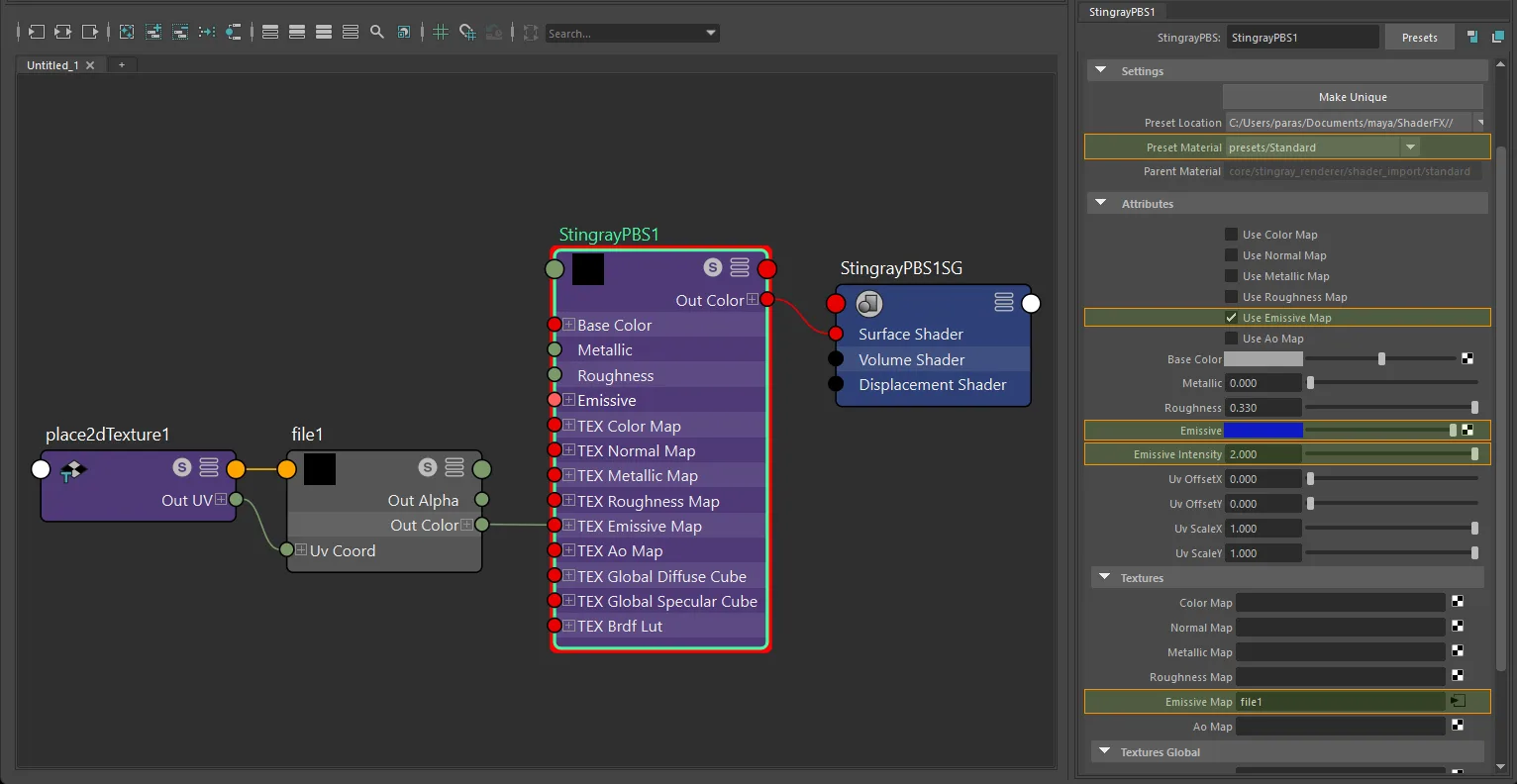
StingrayPBS factor-plus-texture emissive setup.
Note
Changing the shader swatch while a texture is connected does not create a separate exported tint. Use the colorComposite setup above.
UV transform
file nodes: set repeat, wrap, mirror, offset, and rotation on the connected place2dTexture.
aiImage nodes: wrap, scale, and offset export natively; rotation requires a place2dTexture.
UV set: assign via Maya's UV Set Editor or UV Linking - see UV Set Selection for node-type differences.
Notes
- Emissive is a color map. Always use
sRGBcolor space. - Keep the intensity attribute above
0.0- a value of0.0disables emission on export. - The exporter writes
KHR_materials_emissive_strengthwhen the resolved emissive result exceeds1.0in any channel. StingrayPBSuses its own dedicated emissive workflow throughTEX_emissive_map,use_emissive_map,emissive, andemissive_intensity.