Transmission
glTF extension: KHR_materials_transmission
glTF properties: transmissionFactor · transmissionTexture
Transmission controls how much light passes through a surface (e.g. glass, thin plastic). Requires KHR_materials_transmission to be enabled in the export options.
| Shader | Attribute | Notes |
|---|---|---|
standardSurface, aiStandardSurface |
transmission |
|
openPBRSurface |
transmissionWeight |
|
StingrayPBS |
not supported | - |
Factor only
Set the transmission attribute directly on the shader.
standardSurface,aiStandardSurface: settransmission.openPBRSurface: settransmissionWeight.
Exports as transmissionFactor.
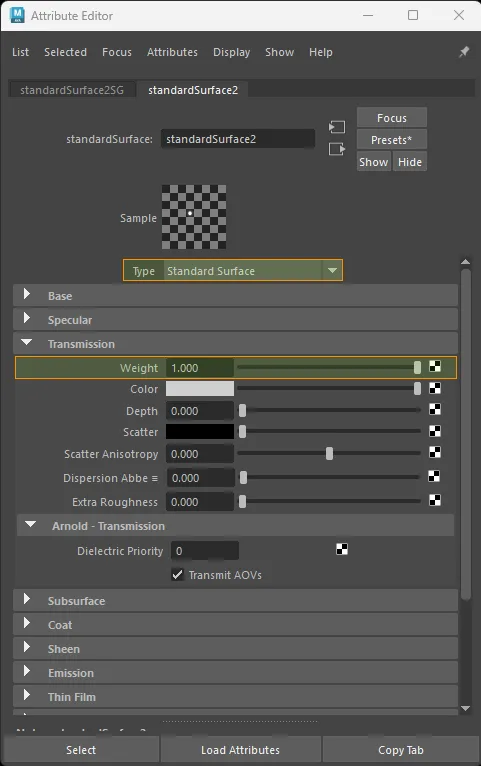
standardSurface factor-only transmission setup.
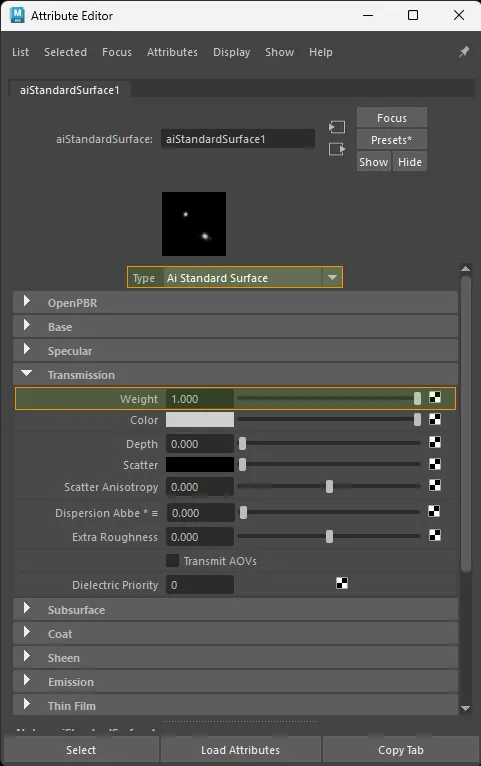
aiStandardSurface factor-only transmission setup.
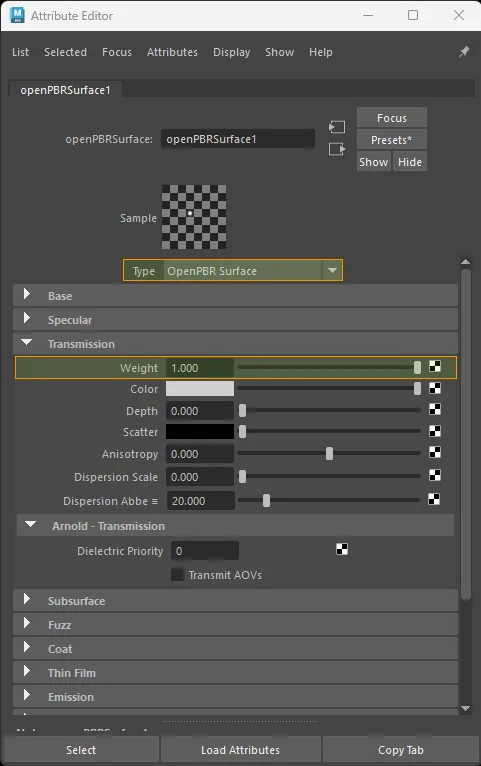
openPBRSurface factor-only transmission setup.
Texture only
Color space: Raw
standardSurface · aiStandardSurface:
  aiImage.outColorR  ->  shader.transmission
  file.outColorR     ->  shader.transmission

openPBRSurface:
  aiImage.outColorR  ->  shader.transmissionWeight
  file.outColorR     ->  shader.transmissionWeight
Exports as transmissionTexture. glTF reads classic transmission from the red channel.
Because glTF defaults transmissionFactor to 0.0, texture-only transmission export also writes an explicit transmissionFactor: 1.0 so the texture remains active in the glTF.
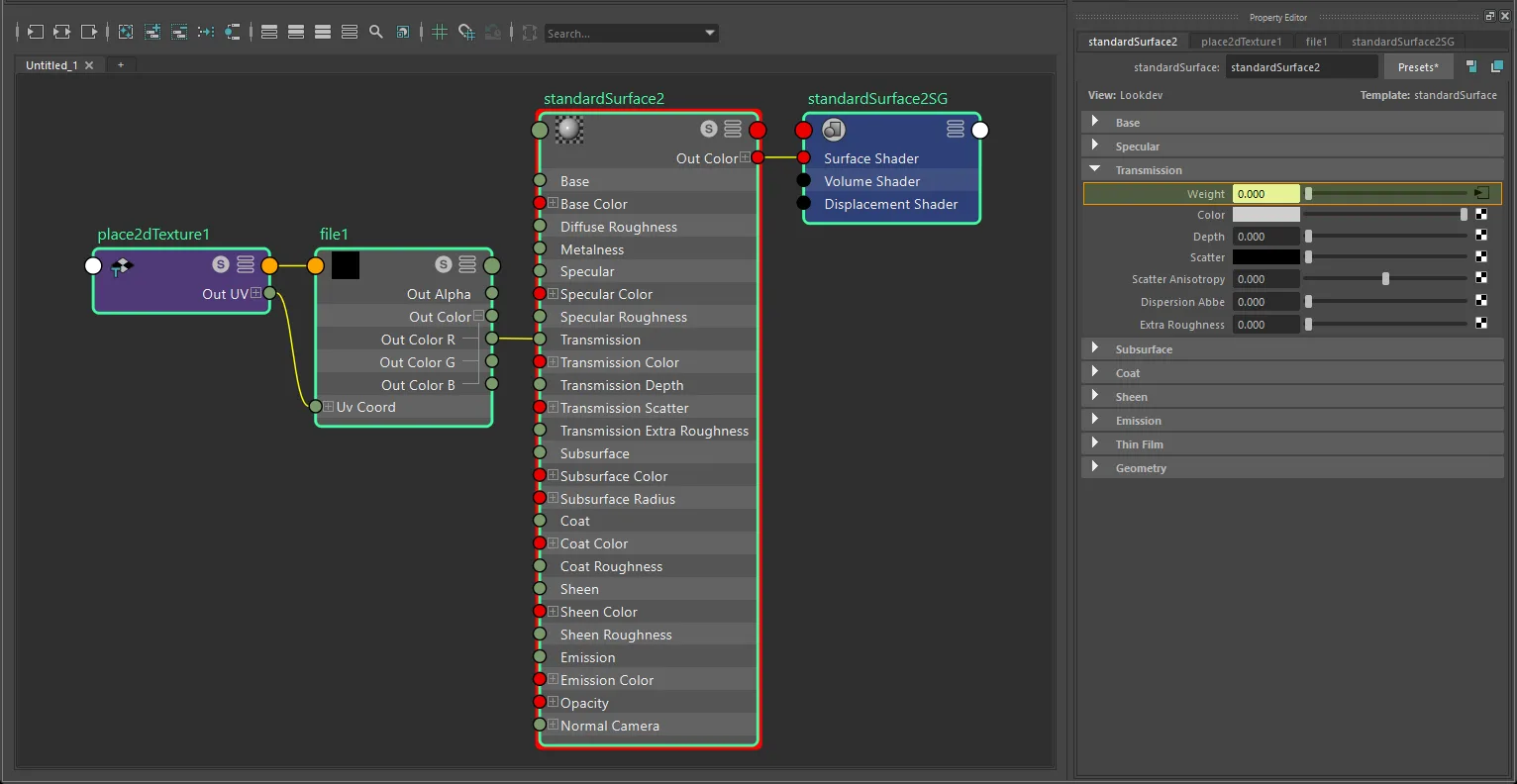
standardSurface texture-only transmission setup with file and place2dTexture.
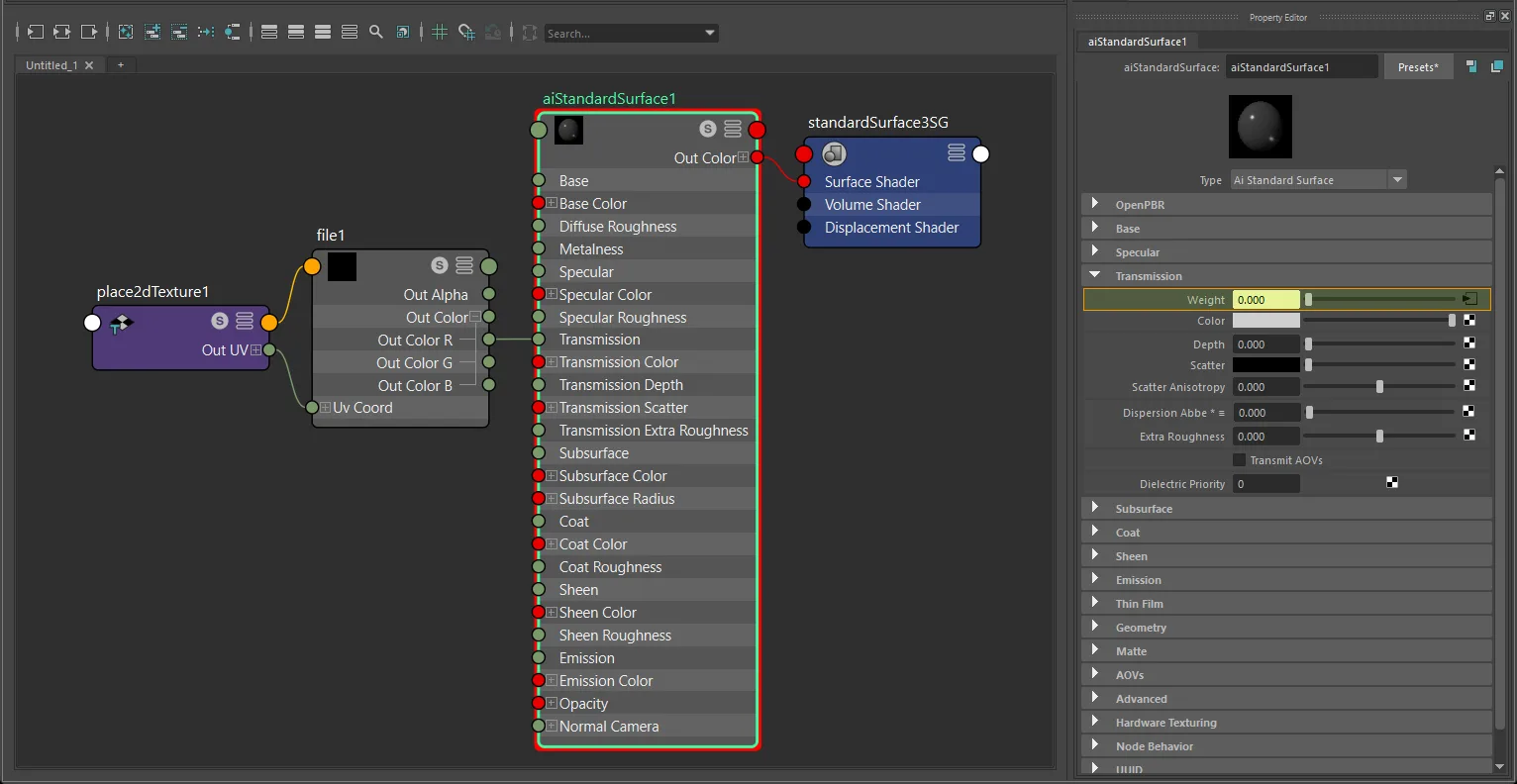
aiStandardSurface texture-only transmission setup with file and place2dTexture.
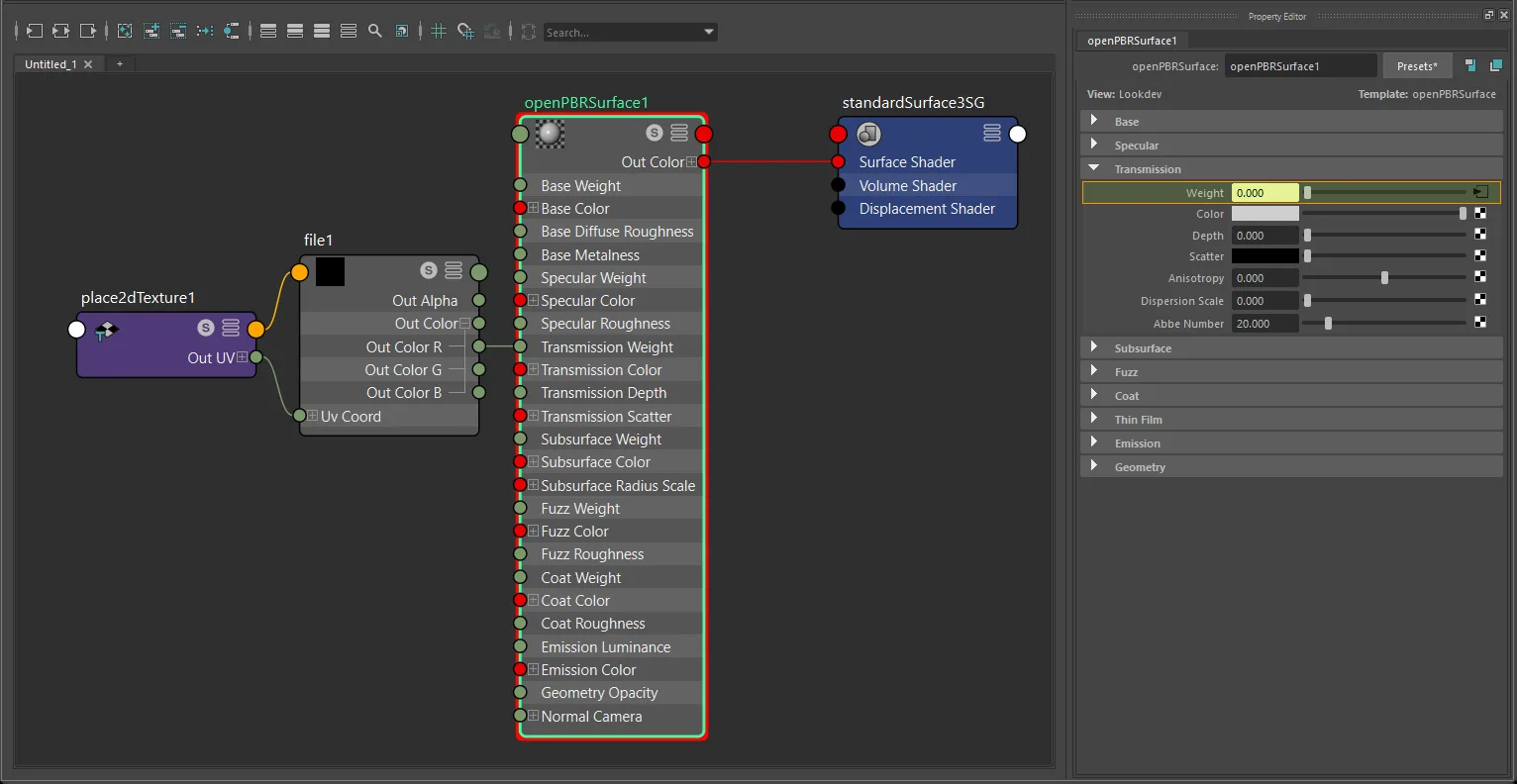
openPBRSurface texture-only transmission setup with file and place2dTexture.
Note
Use outColorR, not outAlpha. If your graph drives the same Maya attribute via outAlpha, that belongs to the diffuse transmission workflow (see the Diffuse Transmission page).
Factor + texture
glTF computes: transmissionFactor × transmissionTexture
- Connect the texture
outColorR->multiplyDivide.input1X. - Set the transmission multiplier in
multiplyDivide.input2X. - Connect
multiplyDivide.outputX->shader.transmission(ortransmissionWeight).
standardSurface · aiStandardSurface:
  texture.outColorR  ->  multiplyDivide.input1X  ->  shader.transmission

openPBRSurface:
  texture.outColorR  ->  multiplyDivide.input1X  ->  shader.transmissionWeight
The multiplier exports as transmissionFactor.
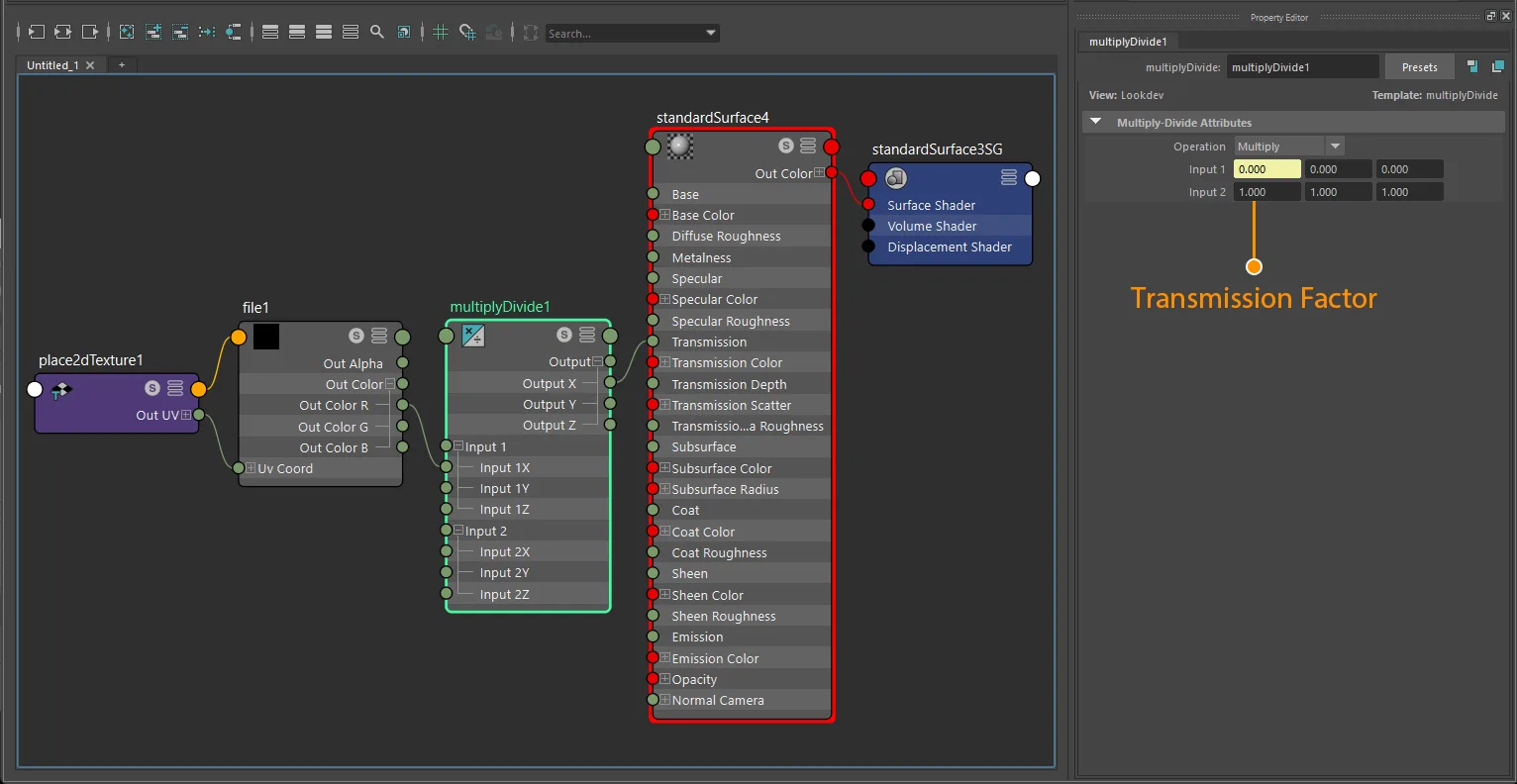
standardSurface factor-plus-texture transmission setup with file and place2dTexture.
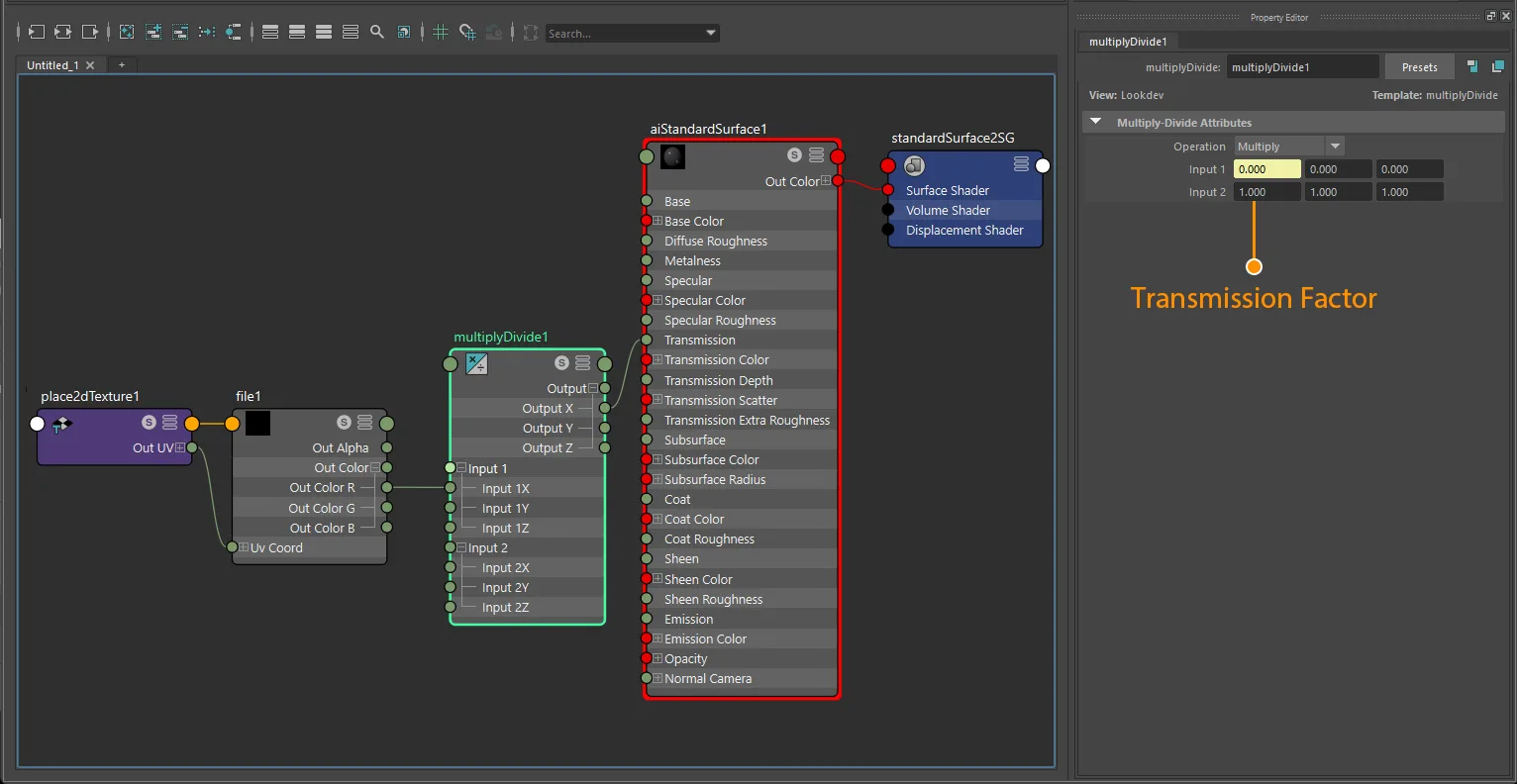
aiStandardSurface factor-plus-texture transmission setup with file and place2dTexture.
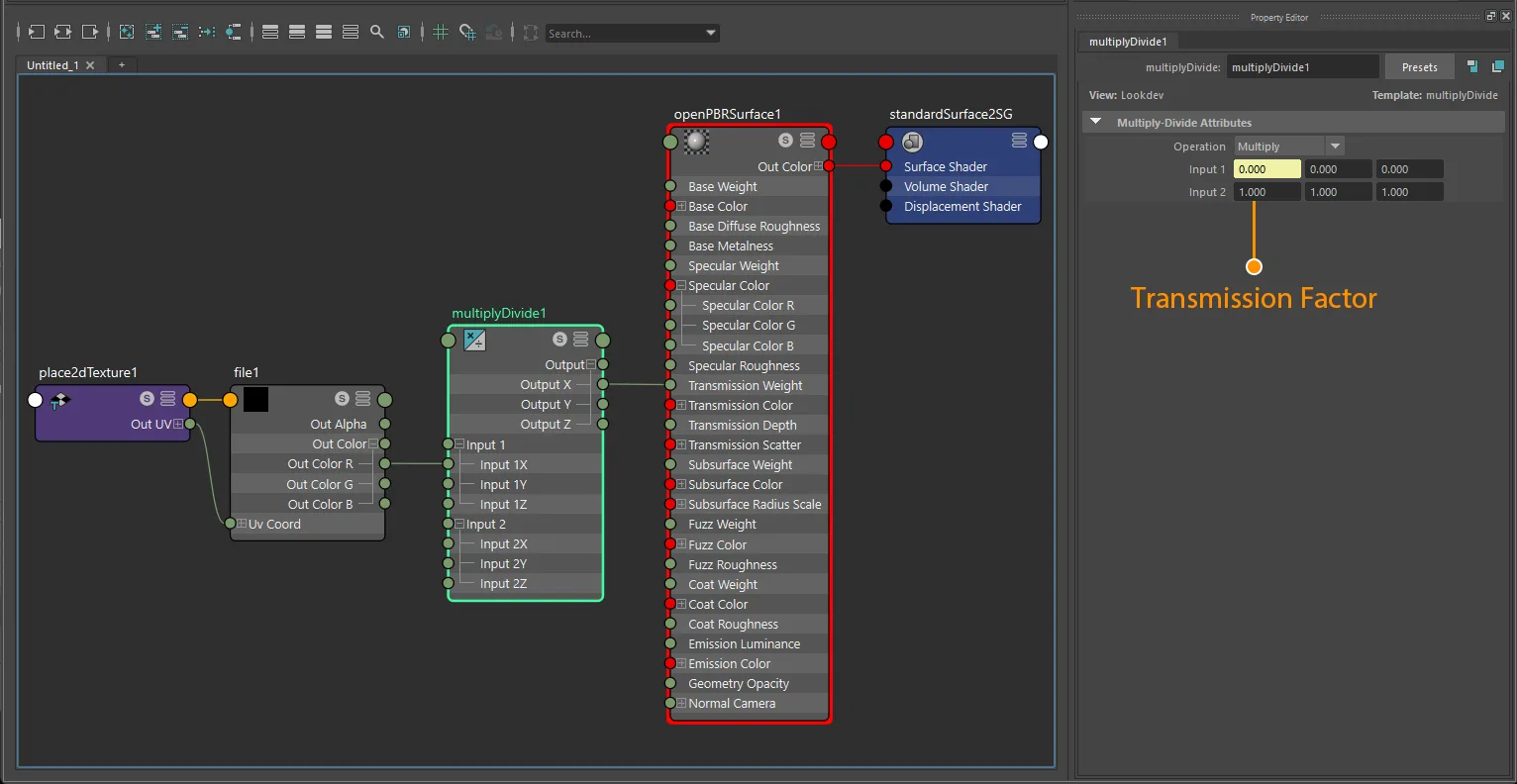
openPBRSurface factor-plus-texture transmission setup with file and place2dTexture.
UV transform
file nodes: set repeat, wrap, mirror, offset, and rotation on the connected place2dTexture.
aiImage nodes: wrap, scale, and offset export natively; rotation requires a place2dTexture.
UV set: assign via Maya's UV Set Editor or UV Linking - see UV Set Selection for node-type differences.
Notes
- Transmission is a non-color workflow. Always use
Rawcolor space. - Use grayscale transmission maps; glTF reads the value from the red channel.
- Pure optical transparency normally stays
alphaMode: OPAQUE. Use alpha modes only for alpha-as-coverage workflows like masks or cutouts. standardSurface/aiStandardSurfaceusetransmission;openPBRSurfaceusestransmissionWeight.StingrayPBSdoes not exportKHR_materials_transmission.- This page covers classic (specular/refractive) transmission only. Diffuse transmission is documented separately.